


Software vs service — which category do you need?
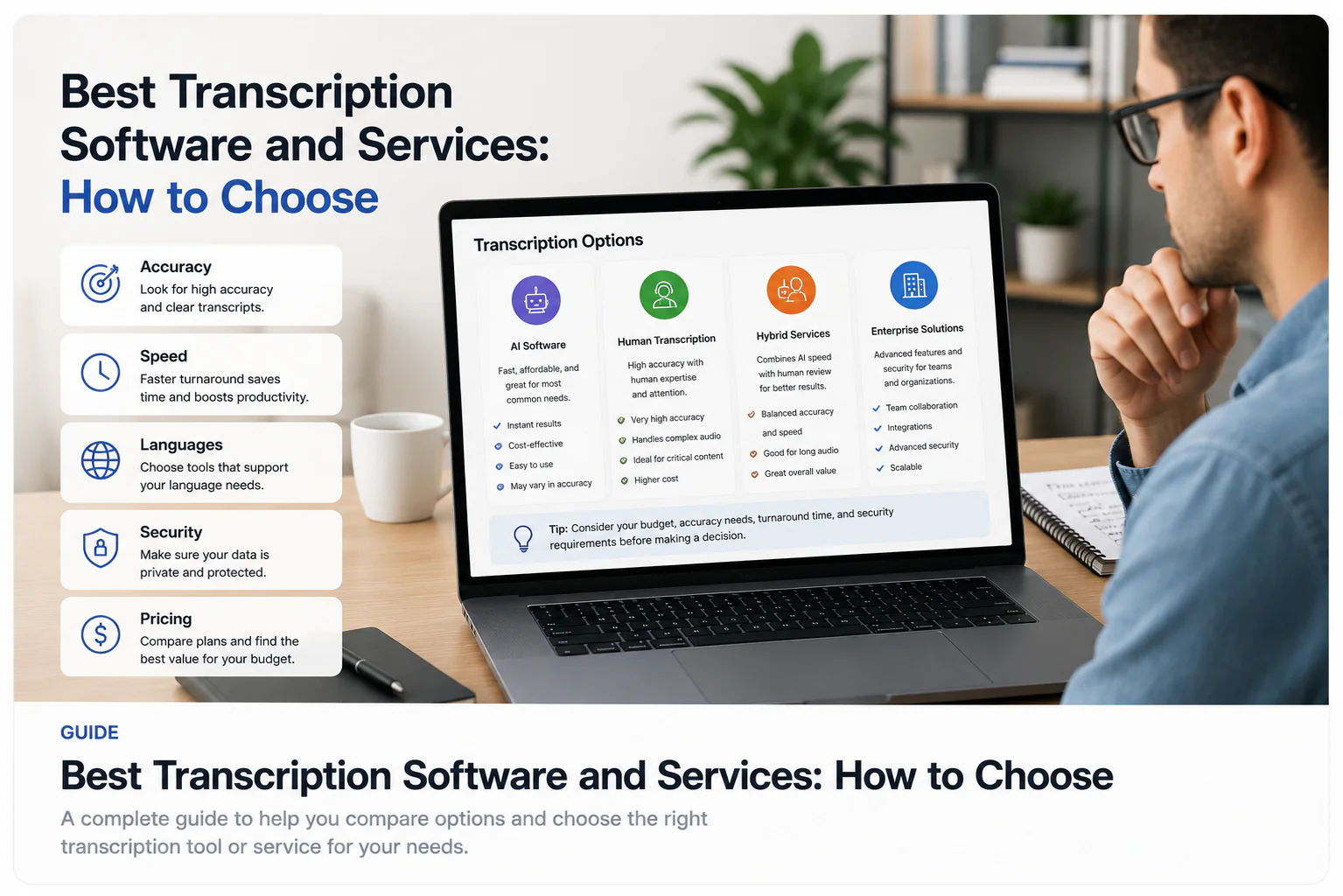
The first decision is not which brand — it is which category. AI transcription software returns a machine draft in minutes that you review yourself; a human transcription service has a person transcribe or verify the audio and return finished, often certified, text on a turnaround of hours to days. Choosing the wrong category wastes more time than picking the wrong product inside the right one.
| Dimension | AI software (self-review) | Human service (professional review) |
|---|---|---|
| Speed | Minutes for a draft | Hours to days |
| Who reviews | You, against the audio | A trained transcriptionist |
| Best for | Meetings, interviews, research, media, captions to review | Legal, medical, verbatim, certified records |
| Cost model | Subscription or per-file, low per-minute | Higher per audio-minute, often per-word or tiered |
| Output | Editable draft you finalise | Finished / certified deliverable |
| Scale | Easy to run many files yourself | Bounded by human turnaround |
What to evaluate
Once you know the category, judge tools on the things that decide whether a transcript is usable for your job, not on marketing headlines. These are the criteria that vary most between products.
- Duration and file-size limits — how long a recording can you actually process, and how large a file can you upload?
- Account requirement — can you test on a real file without signing up first?
- Export access — do you get TXT, DOCX, PDF, SRT, VTT, and is full export behind a paywall or a preview?
- Speaker labels (diarization) — available at all, and on which plan?
- Timestamps — word-level or only segment/caption-level?
- Privacy and retention — how long is your audio kept, is it used to train models, can you delete it?
- Reusable plan vs one-off preview — is the free option a capped preview or a plan you can rely on?
- Cost model — flat subscription, per-minute, or per-word, and how it scales with your volume.
How to test and verify pricing yourself
The only reliable comparison is one you run on your own audio. Prices, free-tier minutes, and limits change often and differ by region, so treat every published number — including any you find in a listicle — as something to confirm on the vendor's current page before you rely on it.
- Pick one real recording that represents your typical work (an interview, a meeting, a lecture, a noisy call).
- Run the same file through each tool you are considering, using its free tier or preview.
- Score the draft on the passages that matter to you: names, numbers, jargon, and any section with two people talking over each other.
- Check the export you actually need is available and not blocked behind an upgrade you have not tested.
- Confirm the current price and limits on each vendor's own pricing page — not a third-party summary — before you commit.
Comparison criteria
A useful comparison table lists criteria, not brand scores. Below, only the TranscribeThis column is filled with verified facts; for any other product, check its current page — pricing, limits, and features change and we do not publish competitor specifics as fact.
| Criterion | TranscribeThis (AI software) | Other tools / services |
|---|---|---|
| Try without account | Yes — first 5 minutes, files up to 50 MB | Check the vendor's current page |
| Free account | 3 transcriptions/day, first 5 min each, 150 MB storage | Check the vendor's current page |
| Paid file limits | Up to 2 GB / 5 h (Standard), 5 GB / 8 h (Premium) | Check the vendor's current page |
| Speaker labels | Standard and Premium | Varies — confirm the plan |
| Timestamps | Word-level for uploads/recordings; segment-level for YouTube | Varies by tool |
| Exports | TXT, DOCX, PDF, SRT, VTT (full export paid; free = preview) | Check the vendor's current page |
| Processing model | Post-recording (not live/real-time) | Varies by tool |
| Human certification | No — AI draft to review | Only from human services |
Best AI software (by criteria)
AI transcription software is the right category when you need speed, self-service, and the ability to process many files without waiting on a person. Judge products on the criteria above rather than a ranked list, because the best tool depends on your file types, budget, and privacy needs.
TranscribeThis fits here honestly: it is post-recording AI software that returns an editable draft in minutes, supports a wide range of audio and video formats, gives word-level timestamps on uploads and recordings, adds speaker labels on paid plans, and lets you export TXT, DOCX, PDF, SRT, and VTT. You can test it on your own file with no account for the first 5 minutes. It is a fast first pass you review — not a certified record and not a live/real-time transcriber. Tools that are known for meeting notes, media production, or dictation each optimise for different workflows; the sensible move is to run your real file through two or three and compare.
When human-reviewed services fit
Human transcription services are the right category when the transcript must be certified, verbatim, or legally defensible — court records, medical documentation, regulated evidence, or accessibility deliverables that require a signed accuracy standard. A trained transcriptionist can also handle very poor audio, heavy accents, and dense crosstalk better than any current model.
The trade-off is speed and cost: human services take longer and typically charge more per audio-minute or per word. Some vendors (for example those offering both AI and human tiers) let you start with an AI draft and pay for human review only when you need it. AI software and a certified human transcript are different products — an AI draft, however good, is not a substitute for certified human work where certification is the requirement.
Best for meetings, research, media, and captions (by criteria)
Different jobs stress different criteria. Match the tool to the workload rather than to a single overall ranking.
| Job | What matters most | What to check |
|---|---|---|
| Meetings | Speaker labels, joining calls, summaries | Diarization plan; whether it uses a meeting bot vs upload |
| Interviews / research | Two-speaker accuracy, timestamps, quotes | Word-level timestamps; how it handles crosstalk |
| Media / podcasts | Long files, clean names, export formats | File-length limit; DOCX/SRT export access |
| Captions / subtitles | SRT/VTT output, timing you can edit | Whether captions are reviewable drafts or finished, certified subtitles |
| Lectures / notes | Length, summaries, cost per file | Free-tier minute cap; per-file limits |
Accuracy, turnaround, and cost
No transcription tool has a single fixed accuracy number — it depends on the recording. Clear, single-speaker audio transcribes very well; heavy accents, music, phone-quality calls, and overlapping speech need more review. Treat any headline accuracy figure (ours or a competitor's) as a best case on clean audio, not a guarantee for your file.
Turnaround and cost move in opposite directions across the two categories. AI software is fast and low-cost per minute but leaves the review to you; human services cost more and take longer but hand back finished work. Because published prices change frequently and vary by plan and region, confirm current numbers on each vendor's pricing page rather than trusting a comparison table that may be out of date.
Privacy and professional requirements
If your recordings contain personal, medical, or confidential information, privacy is a selection criterion, not an afterthought. Check how long each tool keeps your audio and transcripts, whether your content is used to train models, whether you can delete files, and whether the vendor meets any compliance standard your work requires.
TranscribeThis encrypts files in transit (TLS), gives you configurable retention with the ability to delete files yourself, and its processing partners operate under no-training terms. Where a role demands a specific certification or a signed accuracy standard, verify each vendor's current documentation directly — do not assume a tool meets a regulatory bar from its marketing.
Frequently Asked Questions
What is the best transcription software?
There is no single best tool for everyone — the right choice depends on your file types, budget, privacy needs, and whether you need speaker labels or specific exports. Decide between AI software (fast draft you review) and a human service (certified, slower), then run your own real recording through two or three options and compare on the criteria that matter to you.
What are the best online transcription services?
Online options split into AI software you review yourself and human services that return finished, often certified, text. AI is faster and cheaper per minute; human review fits legal, medical, or verbatim work. Match the category to your job first, then confirm each vendor's current pricing and limits on their own page.
What is the best transcription service for professional or certified work?
For certified, verbatim, or legally defensible transcripts, a human transcription service is the appropriate category — a trained transcriptionist provides accuracy standards an AI draft cannot certify. AI software like TranscribeThis is a fast first pass you review, not a substitute for certified human work.
What is the best software for transcribing audio?
The best audio transcription software for you is the one that handles your typical recordings well and gives you the exports and speaker labels you need. Test it by running a real interview or meeting through the free tier, checking names, numbers, and crosstalk, and confirming the export you need is available. TranscribeThis lets you try the first 5 minutes with no account.
Is free transcription software good enough?
Free tiers are usually previews or capped minutes rather than a plan you can rely on for volume. They are ideal for testing quality on your own file before you commit. Confirm the exact free limit and what export it allows before depending on one — many free options preview the transcript but paywall the download.
How is AI transcription different from a human transcript?
AI transcription returns a machine draft in minutes that you review and correct yourself; a human transcript is produced or verified by a person and can be certified. AI is faster and cheaper at scale; human review is the right tool when accuracy must be guaranteed or the record must be legally defensible.
How do I compare transcription tools fairly?
Run the same real recording through each tool, score the passages that matter (names, numbers, jargon, overlapping speech), check the export you need is available, and confirm current pricing and limits on each vendor's own page. A single representative file separates tools faster than any ranking or star rating.
Can transcription software create captions or subtitles?
AI software can export SRT and VTT files, which are reviewable caption drafts with timing you can edit. They are not the same as finished, styled, accessibility-certified subtitles — treat them as a starting point you review and load into a video editor.
Related resources
Reviewed by the TranscribeThis product team · Last updated: July 2026