


What Is Voice to Text?
Voice to text is the conversion of a person's own spoken words — a dictation, a voice note, a spoken memo — into written text they can read, edit, and reuse. It usually involves a single speaker talking to a device rather than a recorded conversation. Two workflows are often confused: live dictation, where words appear as you speak, and post-recording transcription, where you record first and convert the file afterward. This page covers the second.
People use voice to text to capture ideas faster than they can type: a founder talking through a product idea on a walk, a writer dictating a rough draft, someone leaving themselves a spoken reminder. You record the note with your phone or computer's own recorder, upload the audio file here, and get back clean, punctuated text — with timestamps you can click to replay any moment. The tool does not listen through your browser microphone or produce text as you talk.
Voice to Text at a Glance
| Input | An audio or video file (30+ formats), a supported link, or a recording made here with Record from Mic (free account) |
|---|---|
| Speaker labels | Yes — though most voice notes are a single speaker |
| Timestamps | Word-level; click any line to replay that moment |
| Search | Inside a note, and across your whole library by keyword |
| AI passes | Summary, key quotes, action points, decisions, risks, deadlines (free account) |
| Exports | TXT and JSON free; PDF, DOCX, SRT, VTT on paid plans |
| Languages | 90+, with translation from the editor (needs an account) |
| Free limit | 50 MB, no signup; guest uploads auto-deleted; never used to train AI |
| Live dictation | No — record first (on your device or with Record from Mic, free account), then transcribe. Text does not appear as you speak. |
Voice to Text Transcription That Keeps Up With You
From Voice Note to Clean Text
Voice memos from your phone, WhatsApp and Telegram voice messages, dictated ideas, interview recordings — our AI voice to text converter turns them all into accurate, punctuated text you can actually use.


Replay Your Voice, Read the Text
The transcript highlights in sync while your recording plays. Click a sentence to jump the audio to that exact moment — find the one idea buried in a 20-minute voice note in seconds.
Your Words, Ready to Use Anywhere
Use transcribed voice notes in the tools you already use. Export polished documents, plain text, or timestamped subtitles — or copy the text into any app.

What Voice to Text Gives You
A founder dictates a product idea into a phone voice recorder, then uploads the file. Here is an excerpt and what the AI returns.
Illustrative example. The AI summarizes what was actually said in your recording — it does not fill in a fixed template, so your output reflects your own words.
Voice to Text vs. Speech to Text vs. Voice Memo
Voice to text here means turning your own spoken input — a dictated note, a spoken idea, a reminder to yourself — into written text. You record the note with your device's recorder and upload the audio file, or record it in the browser with Record from Mic (free account). The tool does not produce text live as you speak; live dictation and post-recording transcription are different workflows, and this is the post-recording one.
If you are converting recorded media in general — an interview, a meeting, a podcast, anything with one or more speakers — that is the broader job the Speech to Text page covers. Voice to text is the narrower, single-speaker case of capturing what you yourself said.
And if the recording already exists as a voice memo on your phone, the Voice Memo to Text page walks through exporting that file from the recorder app and uploading it. There is no automatic sync from your phone's voice-memo library — wherever your audio lives, you choose the file and upload it.
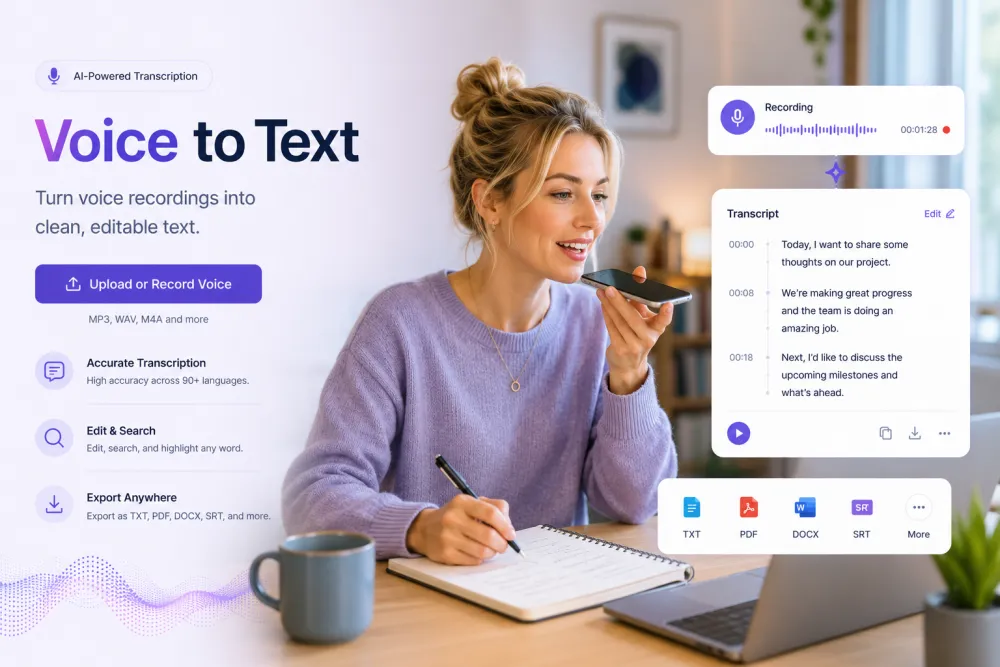
Convert Voice to Text in Three Steps
Upload a voice recording — nothing to install.
Drag and drop a voice note or any audio file (MP3, WAV, M4A, OGG — 30+ formats), paste a link, or hit Record and start talking.
The transcription engine turns your voice into accurate text in minutes — with punctuation, timestamps, and speaker labels.
Clean up the text in the built-in editor, then download it as PDF, TXT, DOCX, SRT, or VTT — or copy it anywhere.
Related reading
Discover More TranscribeThis Tools
Frequently Asked Questions
How do I convert voice to text online?
Upload your voice recording and the AI converts it to punctuated, timestamped text in minutes. You can edit the result and export it in any format — processed on our servers, no installs.
Is the voice to text converter free?
Yes — voice to text transcription is free for files up to 50 MB, with no signup required. Paid plans add longer recordings, higher volumes, and advanced features.
Can I transcribe WhatsApp or Telegram voice messages?
Yes. Save or forward the voice message as an audio file (OGG, OPUS, M4A and more are supported), upload it, and get the text in minutes.
Can I record a voice note and transcribe it?
Record the note with your phone or computer’s own recorder and upload the file here, or record it in the browser with Record from Mic (free account) — you get a punctuated, timestamped transcript in minutes. TranscribeThis transcribes the finished recording; it does not transcribe live while you speak.
How accurate is the voice to text transcription?
Up to 99% on clear recordings. Background noise, distance from the mic, or strong accents lower that. Recording close to the source helps more than anything else.
Which languages does it support?
90+ languages with automatic detection, plus one-click translation of the finished transcript.
Can I download the transcribed text?
Yes — export as PDF, TXT, DOCX, SRT, or VTT, or copy the text into any editor.
Are my voice recordings private?
Files are encrypted in transit and at rest and never used to train AI models. Guest uploads that are not saved to an account are deleted automatically.