


What Is a YouTube Transcript?
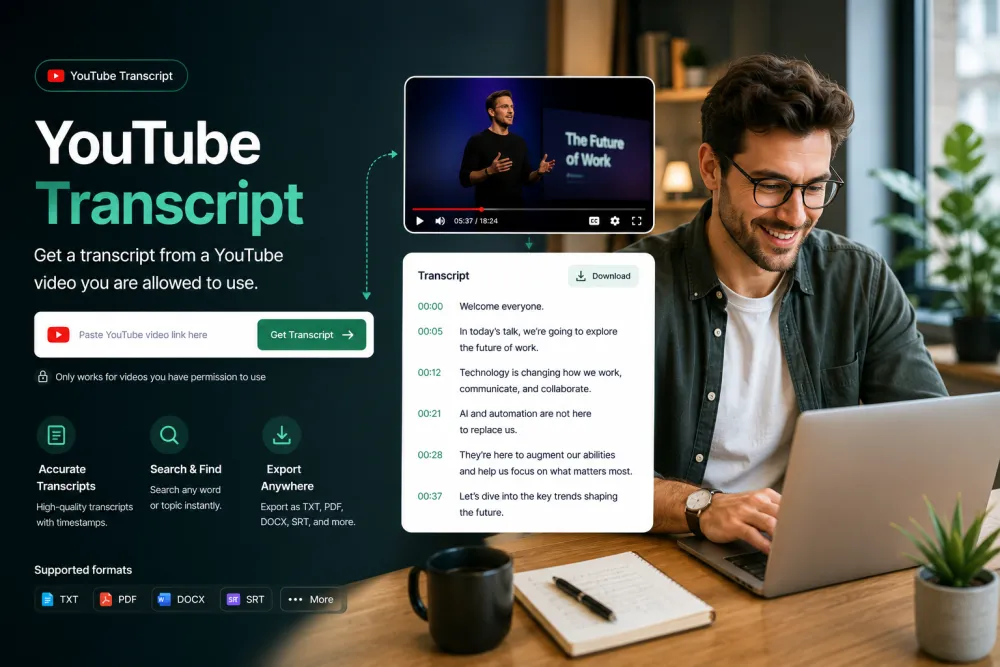
A YouTube transcript is the spoken content of a YouTube video written out as text, usually broken into timestamped lines you can read, search, and copy. It may come from a caption track the video already has, or be generated by transcribing the audio when no captions exist. Whether it is available depends on whether the video can be accessed and processed.
People use a YouTube transcript to read a long video quickly, quote it accurately, study a lecture, or turn a talk into notes without scrubbing the timeline. Because every line is timestamped, you can jump to the exact moment a point is made instead of rewatching from the start.
YouTube Transcript at a Glance
| Input | A YouTube video URL |
|---|---|
| Free preview | First 5 minutes, no account |
| Source | Existing captions, or a generated transcript |
| Speaker labels | Yes, for interviews and podcasts |
| Timestamps | Yes, per line; click to play |
| Search | Inside the transcript |
| AI passes | Summary, quotes, action points (free account) |
| Exports | TXT and JSON free; PDF, DOCX, SRT, VTT paid |
| Other links (Zoom/Drive/Dropbox) | No in the guest flow |
More Than YouTube's Auto-Captions
A Transcript You Can Actually Read
YouTube's auto-captions arrive as a wall of words with no punctuation or paragraphs. We return properly punctuated, paragraphed text — and when a video has no captions at all, our AI transcribes the audio itself.


Timestamps That Take You There
Every line is timestamped, so you can find the exact moment a topic comes up instead of scrubbing the progress bar. Search the whole video like a document.
Text, Subtitles, or Study Notes
Download the transcript as a document for notes and research, or as SRT/VTT subtitles for your own edits. Or copy the text into any app.

What You Get Back
A sample transcript excerpt and the AI passes generated from it.
Illustrative example. The AI summarizes what was said rather than filling a fixed template, and results vary by video.
Existing Captions vs a New AI Transcript
When a video has a usable caption track, that text may be used as the source. When no captions are available, a transcript is generated by transcribing the audio. Most public videos work, but not all of them.
The two sources can differ in punctuation, proper names, and timing, so review any consequential wording before you quote or publish it.
Use only videos you are allowed to process: your own, ones you have permission for, or where the platform's terms and applicable law allow it. Private, live, age-restricted, or region-locked videos may not work. The guest flow is YouTube-only — it does not accept Zoom, Drive, or Dropbox links.
Get a YouTube Transcript in Three Steps
Paste a link — no downloads, no extensions, no software.
Copy the video URL from YouTube and paste it above. Most public videos work — talks, lectures, podcasts, tutorials. Private, age-restricted, or region-locked videos may not.
We pull the existing transcript when there is one, and transcribe the audio with AI when there isn't.
Read along with timestamps, copy what you need, or download the text as PDF, TXT, DOCX, SRT, or VTT.
Related reading
Discover More TranscribeThis Tools
Frequently Asked Questions
How do I get the transcript of a YouTube video?
Paste the video link above. We fetch the existing transcript when the video has one, and transcribe the audio with AI when it doesn't — then you can read, copy, or download the text.
What if the video has no captions?
That's the main reason to use us instead of YouTube's own panel: when captions are missing or disabled, our AI transcribes the audio directly, so you still get a full transcript.
Is the YouTube transcript generator free?
Yes — paste a link and read the first five minutes of any public video instantly, with no signup. Create an account to unlock full-length transcripts, downloads, and translation.
Can I download the transcript with timestamps?
Yes — export as PDF, TXT, or DOCX for reading and research, or as SRT/VTT subtitle files if you need them for editing.
Do I need a browser extension?
No. Everything runs on this page — paste a link, get the text. Nothing to install on desktop or mobile.
Which languages are supported?
90+ languages with automatic detection, plus one-click translation of the finished transcript into another language.
Does it work with private or unlisted videos?
Public and unlisted links work. Private videos and live streams can't be accessed — wait until a stream has finished and been published.
Can I transcribe long videos?
Yes. Long talks, lectures, and podcasts are exactly where a transcript saves the most time — and the AI summary gives you the key points up front.