


What Is Research Interview Transcription?
Research interview transcription converts recorded participant conversations — interviews, focus groups, oral histories, and field recordings — into searchable text with speaker labels and word-level timestamps. Each line stays linked to the moment in the recording, so a researcher can locate a passage, verify wording against the source audio, and quote it with the participant and time attached.
For a qualitative researcher the value is evidential rather than clerical. A transcript is the record that a claim can be checked against months later, by a supervisor, a co-author, a reviewer, or the researcher themselves after the memory of the session has faded.
Research Transcription at a Glance
| Inputs | Interviews, focus groups, field recordings, oral histories, research meetings |
|---|---|
| Speakers | Researcher, participant, moderator, and multiple participants, labeled automatically |
| Search | Keyword search inside a transcript and across your interview library |
| Evidence | Word-level timestamps linked back to the recording |
| Annotation | Highlights in colour with comments attached to the passage |
| AI output | Summary, key quotes, action points, decisions, risks, deadlines |
| Analysis boundary | No automatic theme detection, qualitative coding, or custom research template |
| Sharing | Copy the text into any app, downloads, revocable read-only links |
| Account | Transcription works without an account; AI passes and annotation need a free account |
Search Every Participant Quote
Search a transcript for the word a participant used — pricing, onboarding, trust, reporting — and click the line to hear how they said it. Across your account, one search finds which interviews raised a topic at all, which is the question that usually comes first when a study runs past a dozen sessions.


Highlight Evidence and Add Research Notes
Select a passage, give it a colour, and attach a comment — a follow-up to check, a link to another session, a note for your supervisor. The annotation stays with the interview, so the reasoning behind a finding survives past the write-up.
AI Research Summaries
A fixed catalogue of one-click passes turns a session into an organized write-up: a summary, plus key quotes, action points, decisions, risks, and deadlines drawn from the same transcript. Each extracted line traces back to its timestamp, so nothing in the summary is unverifiable.

What a Research Artifact Looks Like
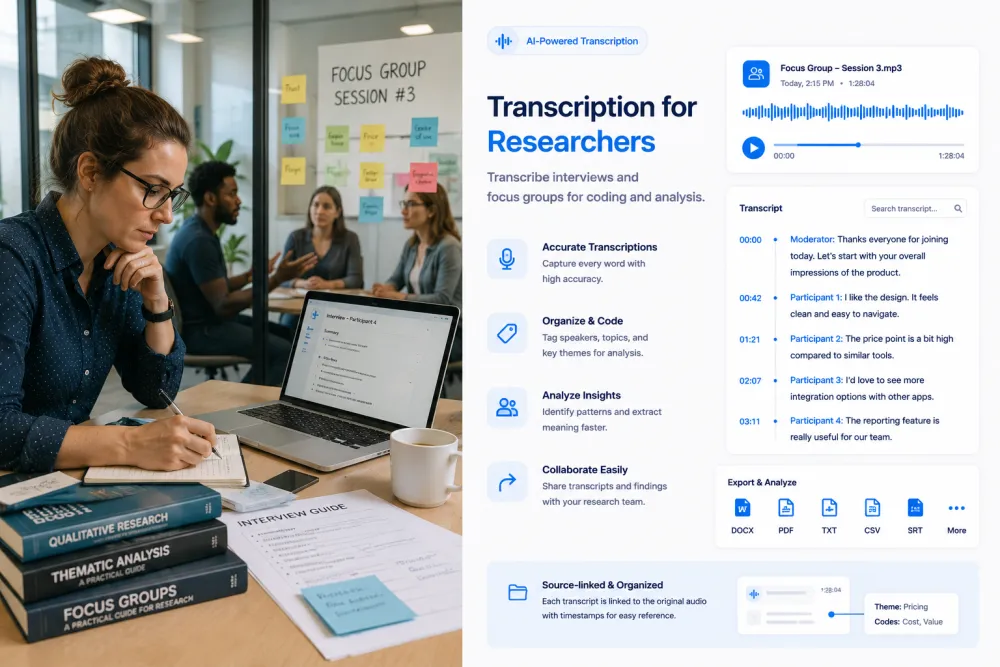
An illustrative usability interview: the transcript excerpt, the annotation a researcher added, and the AI pass generated from the full session.
Illustrative example, not a real participant. The AI summarizes what was said rather than filling a fixed template, and the research note and comment are written by the researcher — the product does not decide that a passage matters.
What the Transcript and Passes Give You
Depending on the session, the record and the AI passes can help you locate:
Research Recording Types
Anything recorded with speech in it transcribes the same way; these are the sessions researchers bring most often.
The core qualitative session, where the participant’s exact phrasing is the data and a paraphrase is a loss.
Several participants and a moderator. Speaker labels are what make the recording readable afterwards, though heavy overlap reduces their accuracy.
Think-aloud sessions where what someone said while struggling matters as much as whether they completed the task.
Recordings made outside a controlled setting, where ambient noise is part of the material and accuracy varies accordingly.
Long sessions whose value is the narrative itself, and which are often archived for far longer than a single project.
Sessions a single researcher will return to repeatedly over a year or more, usually without a team to reconstruct context.
Domain conversations dense with terminology, where verifying a technical passage against the audio is worth the click.
The conversation after fieldwork, where interpretations are first proposed and usually not written down.
Where Research Recordings Come From
Zoom, Teams, and Google Meet
Upload the MP4 or audio-only file your conferencing tool exports. Remote interviews recorded this way transcribe best, because each speaker is close to their own microphone.
Handheld and field recorders
WAV and MP3 from a dedicated recorder are the highest-quality input for in-person interviews, and worth the setup for sessions you will archive.
Phone recordings
M4A from a phone recorder works. Placement matters more than the device — a phone on the table between two people will outperform one in a bag.
Video files and screen recordings
Usability sessions recorded as video transcribe the same as audio, and the transcript stays linked to the video timeline.
TranscribeThis processes recordings you upload; on Standard and Premium, its bot can also join and record Zoom, Google Meet, or Microsoft Teams sessions. It does not transcribe live.
The Researcher Workflow
Each step is something a qualitative researcher already does; the transcript is what lets the evidence survive to the analysis.
- Recording
- Transcript
- Verify speakers
- Search
- Highlight
- Comment
- AI passes
- Export or share
Hand Transcription and Notes vs. a Source-Linked Transcript
| Notes and manual transcription | TranscribeThis |
|---|---|
| Hours per interview, or a paraphrase written from memory | A full record in minutes, reviewed rather than typed |
| A quote you believe is accurate | A quote you can play back at its timestamp |
| Notes that only make sense to the person who wrote them | A record a co-author or supervisor can read |
| Finding a passage means scrubbing the audio | Finding a passage means searching for the word |
| Cross-interview questions answered from recollection | Cross-interview questions answered by searching the library |
Transcription vs. Qualitative Analysis
Transcription creates the source record. Summaries make a long session easier to review. Both are inputs to analysis, not analysis itself.
Coding, thematic development, interpretation, and conclusions remain research decisions. TranscribeThis does not code transcripts, cluster themes, score sentiment, or apply a methodology — and a page that told you otherwise would be selling you a shortcut through the part of the work that is the work.
If you use CAQDAS software such as NVivo, Atlas.ti, MAXQDA, or Dedoose, this sits before it: produce and verify the transcript here, export it as text, and code it there.
Research Accuracy and Limitations
Accuracy is not a fixed number. These are the conditions that move it, and the checks worth doing before a quote reaches a paper:
Privacy, Consent, and Research Ethics
A research recording is an identifiable person speaking, often about something they would not say publicly. This section is guidance, not legal advice.
Record only with informed consent, and tell participants how the recording will be processed and how long it will be kept.
IRB, ethics board, university, or organizational policy may restrict third-party processing entirely. Check before uploading, not after.
Files travel over TLS and are stored encrypted. Guest uploads that aren't saved to an account are deleted automatically; files in your account stay until you delete them or your retention setting removes them. Your recordings are not training data.
Where your protocol requires it, replace identifying detail in exports and shared links rather than relying on the recording being private.
Formats, Languages, and Limits
Try It With a Real Interview
Upload a session and review the transcript, speaker labels, and word-level timestamps before choosing a plan. No signup for files up to 50 MB.
Related Pages
Frequently Asked Questions
Can TranscribeThis transcribe qualitative research interviews?
Yes. Upload the recording and you get a speaker-labeled transcript with word-level timestamps, usually in a couple of minutes for an hour of audio. Transcription works without an account for files up to 50 MB.
Can it identify the researcher and the participant separately?
Yes. Speaker labels separate the people in a recording automatically, which is what makes a transcript readable as a conversation rather than a wall of text. Labels are worth checking in focus groups, where overlap and similar voices reduce accuracy.
Can I search across multiple interviews?
Yes. One search box finds the interviews whose transcript contains a term, and inside an interview you can search and click a line to play that moment. It matches words rather than meaning, so a synonym you did not search for will not surface.
Can I highlight a quote and leave a comment?
Yes. Select a passage, give it a colour, and attach a comment. Both stay with the interview. Highlights are retrieved per interview — there is no single view of every highlight across a study.
Does it automatically identify research themes?
No. This is the most important boundary on the page. Keyword search finds where a topic was raised; deciding that several passages constitute a theme is interpretation, and the product does not do it. There is no automatic coding, clustering, or sentiment analysis.
What AI summaries are available?
A fixed catalogue: a summary of the session, plus key quotes, action points, decisions, risks, and deadlines. They are one-click passes rather than a prompt you write, and they need a free account.
Can every quote be checked against the recording?
Yes, and it should be for anything consequential. Word-level timestamps mean any line plays back at the moment it was said, so a quote heading into a paper can be verified rather than trusted.
Can I use it for focus groups with multiple speakers?
Yes, with a caveat worth knowing in advance. Focus groups produce the overlapping speech that speaker labeling handles least well. A moderator who manages turn-taking, and a microphone arrangement that reaches everyone, improve the result more than any setting.
Can I export transcripts for qualitative analysis software?
Yes. Export as TXT on the free tier, or DOCX and PDF on a paid plan, and import into NVivo, Atlas.ti, MAXQDA, or whatever you code in. There is no direct integration with CAQDAS tools.
How should I handle participant consent and confidential data?
Record only with informed consent, and check your IRB, ethics board, or institutional policy before uploading — some prohibit third-party processing of participant data entirely. Anonymize exports where your protocol requires it. This is guidance, not legal advice.
Is it suitable for verbatim or publication-ready quotation?
Treat the output as a working transcript. It is accurate enough that most lines need no change, but names, numbers, technical terms, and anything said over another speaker are exactly where automatic transcription errs — and those are often the lines worth quoting. Verify before publishing.
Does it support custom research-summary templates?
No. The passes are a fixed catalogue. If your methodology needs a specific summary structure, export the transcript and apply it yourself.
Details on encryption, retention, and how we handle your files: Privacy Policy · Terms of Service
Reviewed by the TranscribeThis Speech Recognition Team.
Last updated: July 2026