


Sales call transcription, in short
What Is Sales Call Transcription?
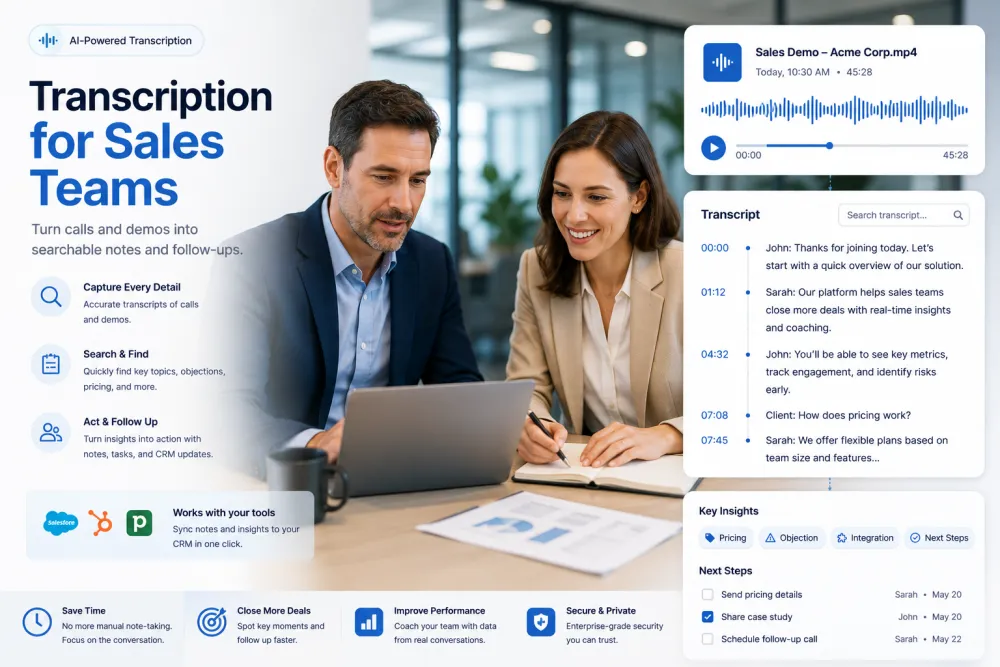
Sales call transcription converts recorded conversations between sales representatives and buyers into searchable written text. AI transcription software can separate speakers, add timestamps, summarize the discussion, and highlight buyer needs, objections, commitments, and next steps for follow-up or CRM notes.
For a sales team, the practical difference is that the record no longer depends on what a representative managed to type while listening. The conversation itself becomes the source of truth, and anyone reviewing the deal later can read it, search it, and jump back to the moment something was said.
Sales Call Transcription at a Glance
| Input | Uploaded sales call and meeting recordings |
|---|---|
| Platforms | Recordings from Zoom, Google Meet, Microsoft Teams, dialers, and phones |
| Speaker identification | Automatic speaker labels for multi-person calls |
| Timestamps | Clickable timestamps linked to the recording |
| AI output | Call summary with key points, questions, objections, and next steps |
| CRM workflow | Copy or export notes for Salesforce, HubSpot, Pipedrive, or another CRM |
| Languages | Transcription and translation in 90+ languages |
| Export formats | PDF, DOCX, TXT, SRT, and VTT |
| Free use | Files up to 50 MB without signup |
| Automatic meeting recording | Not currently available — upload your own recordings |
| Direct CRM sync | Not currently available |
| Call scoring and deal analytics | Not currently available |
Quick Answers
| Can AI transcribe sales calls? | Yes |
|---|---|
| Can it identify who is speaking? | Yes |
| Can it summarize a sales meeting? | Yes |
| Can I upload Zoom, Teams, or Google Meet recordings? | Yes |
| Can I export the transcript to PDF? | Yes |
| Does it join and record meetings automatically? | Paid plans — when you send the bot |
| Does it sync notes directly into Salesforce? | No |
| Does it score calls or track talk-to-listen ratio? | No |
What the Output Looks Like
A short excerpt from a discovery call, and the kind of summary the AI produces from the full conversation.
Illustrative example. Summary structure and wording vary with the conversation — the AI summarizes what was actually discussed rather than filling a fixed template.
What You Can Capture From a Sales Conversation
Depending on what was discussed, the transcript and AI summary can help your team identify:
Rep Notes vs. What the Call Actually Contained
The same discovery call, as typed during the conversation and as the transcript preserved it.
Built for Conversations Where the Details Matter
Speaker-Labeled Sales Call Transcripts
Know what the buyer, the sales rep, and each stakeholder said. Sales calls are demanding audio — speakerphones, accents, product terminology, several people on one line — and the transcript separates them into a conversation you can actually read.


AI Sales Call Summaries and Action Items
Review buyer questions, objections, commitments, and next steps without replaying the call. The full transcript stays available underneath, so anything in the summary can be traced back to the moment it was said.
CRM-Ready Meeting Notes Without Rewriting the Call
Copy the AI-generated summary into Salesforce, HubSpot, Pipedrive, or any CRM. Export the full transcript as PDF, DOCX, or TXT for your account record or deal room.

AI Sales Call Summaries Built for Follow-Up
A sales call summary condenses a full conversation into what a representative or manager needs next: the buyer's goals, pain points, objections, product questions, pricing concerns, commitments, and agreed action items.
TranscribeThis produces both the full searchable transcript and a concise AI summary, so your team can prepare the follow-up without replaying the entire recording.
Buyer needs and pain points
The problem the prospect is trying to solve, in their own words rather than a paraphrase.
Objections and concerns
Questions about pricing, timing, security, procurement, competitors, and implementation as they came up.
Commitments and next steps
What your team promised, what the buyer agreed to, and what should happen before the next conversation.
Follow-up context
Enough detail to write a specific recap email, proposal, or demo agenda instead of a generic one.
From Call Recording to CRM Note in Three Steps
Works with recordings from Zoom, Teams, Google Meet, a dialer, or a phone on the desk.
Drop in the call file — MP4 from Zoom or Teams, M4A from a phone, MP3 from a dialer. Over 30 audio and video formats are supported, with no conversion needed.
You get a speaker-labeled transcript with clickable timestamps, plus a summary of the key points and next steps.
Copy the summary into the CRM, share the transcript with the team, or export it as a document for the account file.
Transcribe Sales Calls From the Tools You Already Use
Zoom sales calls
Upload an MP4, M4A, or audio-only recording exported from Zoom and receive a searchable transcript with speaker labels and timestamps.
Google Meet sales meetings
Upload a recording from Google Meet to create a full transcript, a sales meeting summary, and follow-up notes.
Microsoft Teams sales calls
Convert recorded Teams meetings into text that managers, account executives, and customer success teams can search and review.
Dialer and phone recordings
Upload MP3, WAV, M4A, or another supported audio format from your sales dialer, call recording system, or phone.
TranscribeThis processes recordings you upload; on Standard and Premium, its bot can also join and record Zoom, Google Meet, or Microsoft Teams meetings (it may wait to be admitted). For dialers, mobile, or phone calls, record the call with the tool you already use, then upload the file.
The Deal Detail That Never Makes It Into the CRM
Reps type notes while trying to listen. Managers coach from memory. The details that decide deals quietly disappear.
A rep taking notes is not fully in the conversation. The follow-up question that would have qualified the deal goes unasked because they were mid-sentence in a notes field.
"Pricing concerns" is not what the buyer said. The exact objection, the number they pushed back on, the competitor they named — that detail wins the next call, and it's what memory drops first.
Without a record, managers coach on impressions and onboarding relies on shadowing. Handing a deal to another rep or to customer success means rebuilding the context from zero.
What You Get Compared With Manual Sales Notes
| Manual notes | TranscribeThis |
|---|---|
| Written while the rep is trying to listen | Generated from the complete recording |
| Usually contain paraphrases | Preserve the buyer's wording in a reviewable transcript |
| Rarely include timestamps | Every transcript segment can be traced back to the audio |
| Depend on the rep's memory | Keep objections, questions, and commitments searchable |
| Difficult to use for coaching | Managers can review the exact moment of the call |
| Require rewriting before CRM entry | AI summary is ready to copy into the CRM |
Where Revenue Teams Use Transcripts
Anywhere a conversation carries information that has to survive past the call.
Capture the buyer's exact words on pain, budget, and timeline — the qualification detail that gets paraphrased away in hand-typed notes.
Keep what was said about need, authority, budget, timeline, urgency, and decision criteria, instead of reducing the conversation to a few CRM fields.
Log every feature question and commitment made on the call, so nothing is promised twice or forgotten before the follow-up.
Keep a timestamped record of what was offered and agreed, and return to the exact moment when terms are questioned later.
Separate speakers and preserve the priorities, concerns, and questions raised by finance, security, legal, operations, and end users.
Review the buyer's exact requests before writing a recap, proposal, pricing response, or mutual action plan.
Review real calls instead of impressions. Managers read the transcript, jump to the objection, and coach on what actually happened.
New hires learn from transcripts of winning calls — searchable by objection or product, without booking anyone's time for shadowing.
Use the call record to check unresolved objections, promised follow-ups, and whether a next step was actually agreed.
Send the transcript and summary with the deal, so the CS team knows what was promised before the first onboarding call.
Use transcripts from won and lost opportunities to review recurring objections, competitor mentions, and messaging gaps.
Transcribe calls in 90+ languages and translate them, so regional deals can be reviewed by leaders who don't speak the language.
Sales Call Transcription vs. Conversation Intelligence
Sales call transcription creates a written, searchable record of what was said, and an AI summary can highlight the important topics, objections, commitments, and next steps.
Conversation intelligence platforms typically go further: they join and record meetings automatically, connect call data to CRM records, score calls, track talk-to-listen ratios, and feed deal risk and revenue forecasts.
TranscribeThis is built for teams that need accurate transcripts and actionable call summaries without deploying a full revenue intelligence platform.
Sales Call Transcription Explained
What is sales call transcription?
Sales call transcription is the process of converting a recorded sales conversation into searchable written text. Speaker-labeled transcripts help teams identify who made each commitment.
What is an AI sales call summary?
An AI sales call summary condenses the conversation into buyer needs, objections, commitments, and agreed next steps. AI summaries reduce the time required to review long recordings.
What are CRM-ready notes?
CRM-ready notes are structured meeting notes that can be copied directly into Salesforce, HubSpot, Pipedrive, or another CRM. They remove the manual rewriting normally done after a call.
What is speaker diarization?
Speaker diarization automatically separates the participants in a conversation and labels who said what. Searchable timestamps then let a reader jump straight to the relevant moment.
Supported Formats, Languages, and Limits
Sales Call Transcription: The Numbers
| Up to 99% | Accuracy on clear, well-recorded speech |
|---|---|
| 90+ | Languages transcribed and translated |
| ~2 min | Typical processing for a one-hour recording |
| Until you delete | File retention in your account |
Accuracy and processing time vary with recording quality, background noise, speaker overlap, accents, language, and file length.
What Affects Transcription Quality
Accuracy is not a fixed number. These are the conditions that move it, in rough order of impact:
Sales Transcription Glossary
- Sales call
- Any recorded conversation between a seller and a prospective or existing customer.
- Discovery call
- The first substantive call, used to establish the buyer’s problem, budget, and timeline.
- Qualification call
- A call that tests whether an opportunity is worth pursuing against defined criteria.
- Demo
- A walkthrough of the product against the buyer’s stated requirements.
- Buyer
- The person or group evaluating the purchase, often several people with different concerns.
- Decision maker
- The participant with authority to approve the purchase.
- Stakeholder
- Anyone whose approval or objection can influence the deal — finance, security, legal, operations.
- Objection
- A stated reason not to proceed, such as price, timing, or implementation effort.
- Next step
- The specific action agreed before the call ends, with an owner and a date.
- Commitment
- Something either side promised to do, which a transcript preserves in the speaker’s own words.
- CRM
- The system of record for deals — Salesforce, HubSpot, Pipedrive and similar tools.
- Speaker labels
- Markers produced by diarization that attribute each passage to a participant.
- Timestamp
- The position of a passage in the recording, used to jump back to that moment.
- Transcript
- The full written record of what was said, searchable end to end.
- AI sales call summary
- A condensed version of the call covering needs, objections, commitments, and next steps.
Who Uses Sales Call Transcription?
Try It With a Real Sales Call
Upload a recording and review the transcript, speaker labels, timestamps, and AI summary before choosing a paid plan. No signup for files up to 50 MB.
Related Transcription Tools
Frequently Asked Questions
How do I transcribe a sales call?
Upload the call recording — an MP4 from Zoom or Teams, an M4A from a phone, or an MP3 from your dialer — and the AI returns a speaker-labeled transcript with clickable timestamps and a summary in minutes. Nothing to install; it runs in the browser.
Can TranscribeThis automatically record or join sales calls?
Not on its own — only when you send it. On Standard and Premium, the TranscribeThis bot can join and record Zoom, Google Meet, or Microsoft Teams meetings — it joins as a participant and may wait to be admitted, and the transcript arrives after the call, not live. For dialers, mobile, or phone calls, record with your own tool and upload the file.
Can I transcribe a Zoom sales call?
Yes. Export the Zoom recording as MP4, M4A, or another supported format, then upload it to receive a transcript, speaker labels, timestamps, and an AI summary.
Does it identify who is speaking on the call?
Yes. Speaker labels separate the rep from the buyer and from other stakeholders on the line, which is what makes a multi-person call readable afterward.
Can I get a summary with next steps instead of the whole transcript?
Yes. Alongside the full transcript, TranscribeThis can generate an AI summary of the key points and agreed action items. Summaries are available in your account, so create a free account to use them; the guest preview returns the transcript only.
Does it integrate with Salesforce or HubSpot?
There is no direct CRM sync today. Transcripts and summaries are built to be copied or exported: paste the summary into any CRM field, or attach a PDF, DOCX, or TXT to the deal record.
Does it analyze talk-to-listen ratio or score sales calls?
Not currently. TranscribeThis focuses on accurate transcription, speaker labels, searchable timestamps, summaries, and export rather than automated call scoring or enterprise conversation intelligence.
Can it transcribe calls in other languages?
Yes — 90+ languages are detected automatically, and supported transcripts can be translated from the editor in your account, which is how international teams review deals they could not otherwise follow.
How accurate is it with poor call audio?
Accuracy reaches up to 99% on clear, well-recorded speech. Speakerphones, overlapping speech, background noise, and strong accents reduce it. Recording quality matters more than file format.
What is the best format for a sales call recording?
MP3, WAV, M4A, and MP4 all work well. Keep microphones close to the speakers, record in a quiet room where possible, and avoid heavy compression.
Can sales managers use transcripts for coaching?
Yes. Managers can search the transcript, review the exact moment of an objection, compare the rep's wording with the buyer's response, and use specific examples in coaching sessions.
Can I use sales call transcripts for onboarding?
Yes. With the necessary consent and access controls, transcripts of effective discovery calls, demos, and objection handling can become a searchable training library for new reps.
Is call data kept private?
Files are encrypted in transit and at rest, and never used to train AI models. Guest uploads that aren't saved to an account are deleted automatically; files in your account stay until you delete them or your retention setting removes them.
Do I need consent to record a sales call?
Recording laws vary by country and state, and many require all parties to consent. Announce the recording at the start of the call and follow your company policy and local law — we transcribe recordings you already have the right to make.
Details on encryption, retention, and how we handle your files: Privacy Policy · Terms of Service
Reviewed by the TranscribeThis Speech Recognition Team.
Last updated: July 2026