


What Is MP3 to Text Transcription?
MP3 to text transcription is the process of converting the spoken words in an MP3 audio file into written, readable text. Software analyses the recording — an interview, podcast, meeting, or voice note — and produces a transcript you can read, search, and edit. The audio is uploaded and processed on a server, then returned as timestamped text, usually with the different speakers labelled.
People transcribe MP3 files to get a written record they can reuse: quoting an interview, pulling action points out of a recorded meeting, or making a podcast episode searchable. Because MP3 is the most common way audio is shared and stored, it is often the format a recording already exists in when someone needs the words on the page.
MP3 to Text at a Glance
| Input | An MP3 audio file — or MP3, WAV, M4A, MP4 and 30+ other formats, or a supported link |
|---|---|
| Speaker labels | Yes, automatic when more than one person speaks |
| Timestamps | Yes, word-level; click a line to play that moment |
| Search | Inside a transcript, and across your library by keyword |
| AI passes | Summary, key quotes, action points, decisions, risks, deadlines (free account) |
| Exports | TXT and JSON free; PDF, DOCX, SRT, VTT on paid plans |
| Languages | 90+ with automatic detection; translation from the editor |
| Free limit | 50 MB per file, no signup; original audio download free |
| Live transcription | No — text is returned after processing, not as you speak |
MP3 Transcripts You Can Read, Search, and Reuse
Accurate MP3 Transcription
AI speech recognition converts your MP3 audio into highly accurate text — capturing speakers, timing, and nuance. Hours of manual transcription become minutes, and every episode, call, or memo turns into fully searchable content.


Synchronized Playback
Listen and follow your transcript in sync with the audio. Spot key moments, quotes, and sections instantly, and review recordings faster without replaying them end to end.
Flexible Formats, Easy Export
Export your MP3 transcripts in the format you need — for blog posts, social snippets, documentation, or your archive. Share, repurpose, and publish without reformatting.

What an MP3 Transcript Looks Like
A short excerpt from a recorded interview, transcribed with speakers and timestamps. Illustrative, not from a real recording.
Illustrative example. The AI summarises what was actually said in your recording — it does not fill in a fixed template, so the fields you get reflect your audio.
MP3, WAV, or M4A: Which Transcribes Better?
This page transcribes MP3 files, but the .mp3 extension is not what determines how accurate the transcript will be. MP3, WAV, and M4A are just containers for audio. What matters is the quality of the recording inside — how close the microphone was, how much background noise there is, and how clearly people speak.
MP3 is compressed and WAV is uncompressed, so a WAV can hold more audio detail — but only if that detail was captured in the first place. A clean 256 kbps MP3 of a quiet interview will transcribe better than a WAV recorded across a noisy room. Bitrate and compression affect accuracy; the file extension on its own does not.
Converting a low-bitrate MP3 to WAV before uploading does not help — the detail lost in compression is already gone, and re-saving it as WAV only makes a larger file. Upload the MP3 as it is. If you have the same recording as a WAV or an M4A, any of them works; you do not need to convert between them first.
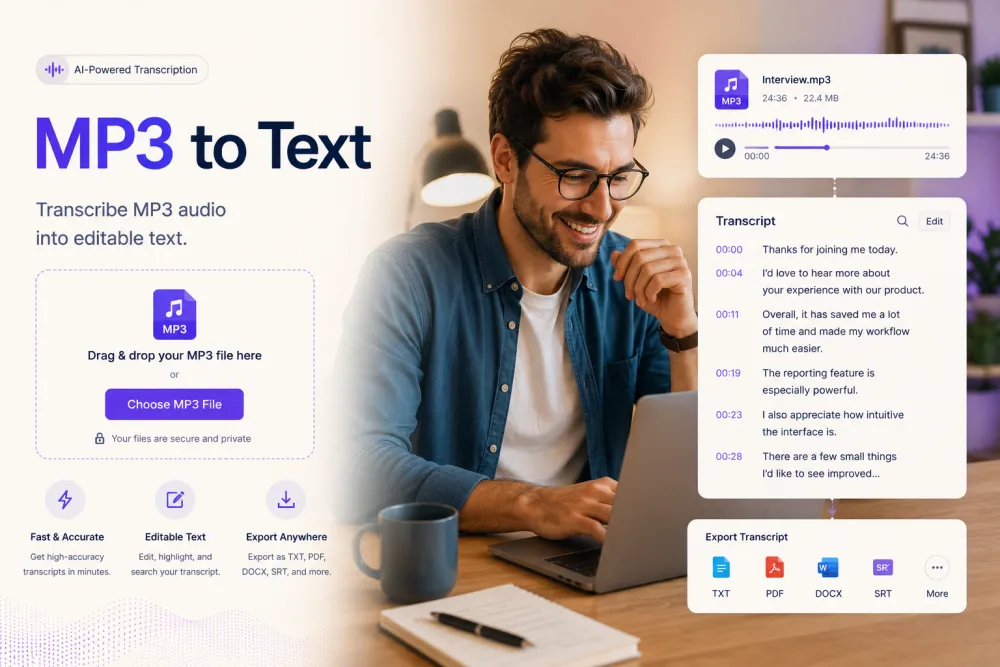
Convert MP3 to Text in Three Steps
Upload your MP3 — no software to install.
Drag and drop your MP3 (or WAV, M4A, MP4 — 30+ formats), paste a link, or record directly on the page. Files up to 8 hours on Premium.
The transcript is ready in minutes — accurate, searchable text with timestamps and speaker labels. No manual work.
Fix anything in the built-in editor, then download as PDF, TXT, DOCX, SRT, or VTT — or copy the text into any app.
Related reading
Discover More TranscribeThis Tools
Frequently Asked Questions
What can MP3 transcription help with?
Interviews, podcasts, meetings, lectures, voice memos — any MP3 becomes searchable, editable text you can publish, quote, and reuse.
How accurate is the transcription?
Up to 99% on clear audio; recordings with noise or heavy accents land lower. Fix anything in the built-in editor before exporting.
Which languages can I transcribe?
90+ languages with automatic detection — plus one-click translation of the finished transcript.
Do you support live transcription, or only uploaded files?
Recordings, not live speech. Upload a pre-recorded MP3, record from your microphone in the browser (free account), or — on paid plans — send the TranscribeThis bot to a Zoom, Google Meet or Microsoft Teams meeting. The transcript comes back after processing; TranscribeThis does not transcribe live as you speak.
Can I download my transcript after transcription?
Yes — PDF, TXT, DOCX, SRT, and VTT, or copy the text into any app.
Will the transcript include timestamps?
Yes — word-level timestamps throughout, plus speaker labels when diarization is on.
Do I need to install any software?
No. The tool works from any browser on desktop and mobile — upload from your phone, pick up the transcript on your laptop. Your file is processed on our servers, not on your device.
Is my MP3 file private and secure?
Files are encrypted in transit and at rest and never used to train AI models. Guest uploads that are not saved to an account are deleted automatically. GDPR compliant.