


What Is Speech to Text?
Speech-to-text, also called automatic speech recognition (ASR), is technology that converts spoken language in an audio or video recording into written text. It analyses the sounds of speech and produces a transcript, often marking who spoke and when. Modern systems handle multiple speakers, many languages, and a range of recording conditions, though accuracy drops with background noise, distance from the microphone, strong accents, and overlapping talk.
People use speech-to-text to turn recorded conversations into something they can read, search, and quote: meetings, interviews, lectures, podcasts, calls, and video. Instead of replaying a file to find one sentence, you get a written record you can scan in seconds and share with others.
At a Glance
| Inputs | Upload audio or video (30+ formats) or paste a supported link; processed on our servers |
|---|---|
| Speaker labels | Yes — each speaker separated and labelled |
| Timestamps | Word-level; click any line to play that moment |
| Search | Within a transcript, plus keyword search across your library |
| AI passes | Summary, key quotes, action points, decisions, risks, deadlines (free account) |
| Exports | TXT and JSON free; PDF, DOCX, SRT, VTT on paid plans; original audio free |
| Languages | 90+ languages; translation from the editor (account) |
| Free limit | 50 MB free, no signup; guest uploads auto-deleted; never used to train AI |
| Live / real-time transcription | No — text appears after processing, not as you speak |
A Speech to Text Converter Built for Real-World Audio
Whisper-Powered Speech Recognition
Our speech to text engine is built on OpenAI Whisper — the AI model known for handling accents, background noise, and technical vocabulary that trips up ordinary dictation tools. Every word of your speech is converted to clean, punctuated text.


Listen and Read in Sync
Play the recording and watch the transcript highlight in real time. Click any sentence to jump the audio straight to that moment — reviewing an hour of speech takes minutes.
Your Speech, in Any Text Format
Export the finished text the way you need it — a polished document, plain text for any editor, or subtitle files with timestamps. Or copy the text into any app.

A Worked Example
A two-speaker recording, transcribed and summarised. Illustrative.
Illustrative example. The AI summarises what was actually said in your recording rather than filling a fixed template, so wording and fields vary with the content.
Speech to Text vs Voice to Text
Speech-to-text here means broad speech recognition: it transcribes recorded speech from any media — meetings, interviews, calls, lectures, podcasts, video — and separates multiple speakers. If a file has several voices, each is labelled. This is the general-purpose recognition tool for recordings that already exist.
Voice-to-text usually means one person dictating into a microphone to compose text. If that is what you want, the Voice to Text page covers that workflow. This page is for turning existing recordings of one or more people into a readable, searchable transcript, not for capturing your own dictation.
Either way, the transcript comes after the recording: you upload a recording, record from your microphone in the browser (free account), or paste a supported link, and get the transcript back after processing — TranscribeThis does not transcribe live as you speak. The transcript that highlights line by line while the audio plays back is a separate, real feature for reviewing a finished transcript; it is not real-time transcription.
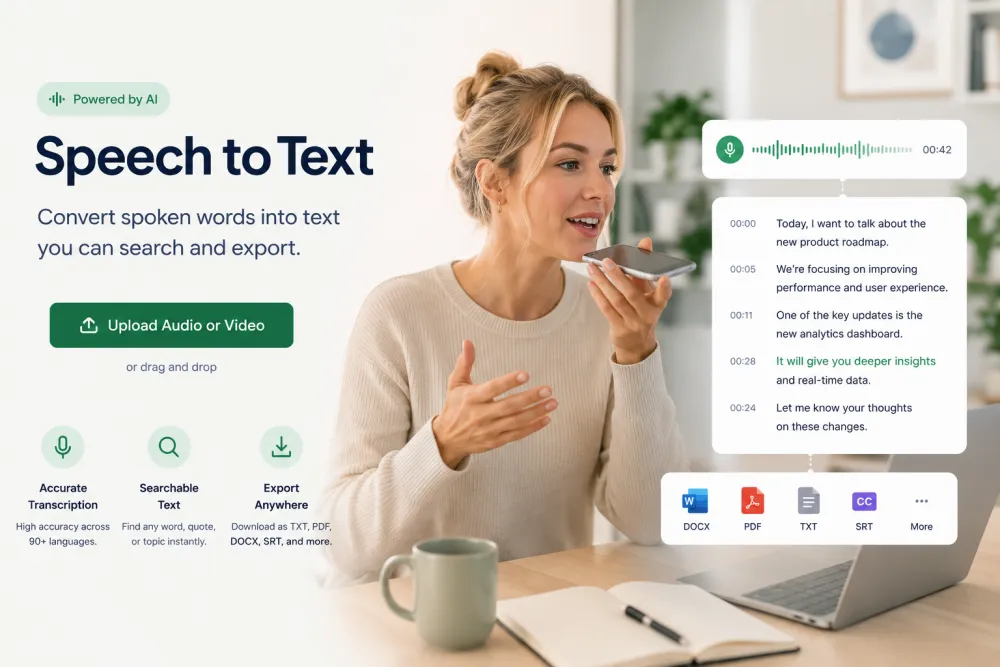
Convert Speech to Text in Three Steps
Upload a recording — no software to install.
Drag and drop an audio or video file (MP3, WAV, M4A, MP4 — 30+ formats) or paste a supported link.
The speech recognition engine converts your audio to text in minutes — with timestamps, punctuation, and speaker detection.
Polish the text in the built-in editor, then download it as PDF, TXT, DOCX, SRT, or VTT — or copy it anywhere.
Related reading
Discover More TranscribeThis Tools
Frequently Asked Questions
How does the speech to text converter work?
Upload a recording and Whisper AI speech recognition converts the audio into punctuated, timestamped text you can edit and export. Your file is processed on our servers — nothing to install.
Is this speech to text tool free?
Yes — you can convert speech to text online for free, with no signup, on files up to 50 MB. Paid plans add longer files, bigger volumes, and advanced features.
How accurate is Whisper speech to text?
On clear speech, Whisper-based recognition reaches up to 99% accuracy. Recordings with background noise or strong accents land lower. Accuracy varies with audio quality, language, and how much speakers overlap.
Can I upload a recording of speech?
Yes. Upload an audio or video recording of speech in any of 30+ formats and you get a punctuated, timestamped transcript to edit and export. TranscribeThis transcribes recordings you upload; it does not transcribe live as you speak.
Which languages are supported?
90+ languages with automatic detection — plus one-click translation of the finished transcript.
What audio and video formats can I upload?
MP3, WAV, M4A, MP4, MOV and 30+ other audio and video formats. If it contains speech, we can turn it into text.
Can I download the converted text?
Yes — export as PDF, TXT, DOCX, SRT, or VTT, or copy the text into any editor.
Is my recording private and secure?
Files are encrypted in transit and at rest and never used to train AI models. Guest uploads that are not saved to an account are deleted automatically.