


What Is Lecture Transcription?
Lecture transcription turns a recorded lecture, seminar, or tutorial into a searchable text record of what was said, with each line tied to the moment it was spoken. The full transcript is a source record of the session. An AI summary built from that transcript is a shorter review aid that condenses the material, and it should not be treated as complete study notes.
It lets you find an exact explanation, quote a definition accurately, or revisit a passage you missed, without scrubbing back and forth through the audio. You upload the recording after class, and then read, search, and reference the session as text.
Lecture transcription at a glance
| Input | Upload an audio or video file (30+ formats) or paste a supported link. Files are processed on our servers, not on your device. |
|---|---|
| Speaker labels | Yes. The lecturer and students who speak are separated into distinct labels you can rename. |
| Timestamps | Word-level. Click any transcript line to play the audio from that exact moment. |
| Search | Search inside one transcript, and run a keyword search across your library to find which recordings mention a term. |
| AI passes | A fixed one-click set: summary, key quotes, action points, decisions, risks, deadlines. Needs a free account. |
| Exports | TXT and JSON free. PDF, DOCX, SRT, and VTT on paid plans. Your original audio downloads free. |
| Languages | 90+ languages. Translation from the editor needs an account. |
| Free limit | 50 MB per file with no signup, encrypted in transit and at rest. Guest uploads not saved to an account are deleted automatically. |
| Recording the class | Your responsibility. Whether you upload a file or record from the mic, the tool does not obtain institutional permission to record. |
Built for the Way Students Actually Study
Accurate Through Jargon and Accents
Lecture halls are hard audio: distant microphones, room echo, technical terms, and lecturers from all over the world. Our AI is tuned for exactly that — so formulas, names, and terminology land as readable text.


Find Any Explanation in Seconds
Search the whole lecture like a document and click any sentence to replay that exact moment. Before an exam, an AI summary hands you the key points instead of two hours of re-listening.
Export Straight Into Your Notes
Send the transcript to the tools you already revise with — a clean document for annotating, plain text for your notes app, or subtitles if you rewatch recorded classes.

What the output looks like
An illustrative excerpt from a statistics lecture, with fields drawn from the one-click AI passes.
Illustrative example. The AI summarises what was actually said rather than filling a fixed template, so fields vary by recording. Spoken equations and symbols may be transcribed as words rather than formal notation (for example "r equals zero point eight" instead of a formula), so verify anything technical against the audio.
Lecture transcript vs study notes
A lecture transcript follows the recording: it is a record of what was said, in the order it was said. Study notes are different work, where you select the points that matter and reorganise them for review. An AI summary sits between the two, and because it condenses, it can leave out worked examples, qualifications, spoken equations, or points the lecturer stressed. Keep the full transcript as the source you check against.
This is the tool page for turning a recording into a transcript: you upload a file or record from the mic (free account), and the text appears after processing, not live. If you are studying, revising, or preparing for exams, the transcript is a starting point rather than the finished notes, and our Students use case page covers how to work from it.
If you are teaching, our Educators use case page covers preparing material, captioning, and distributing a recording to a class. This page stays focused on getting an accurate, searchable transcript out of the lecture you already recorded.
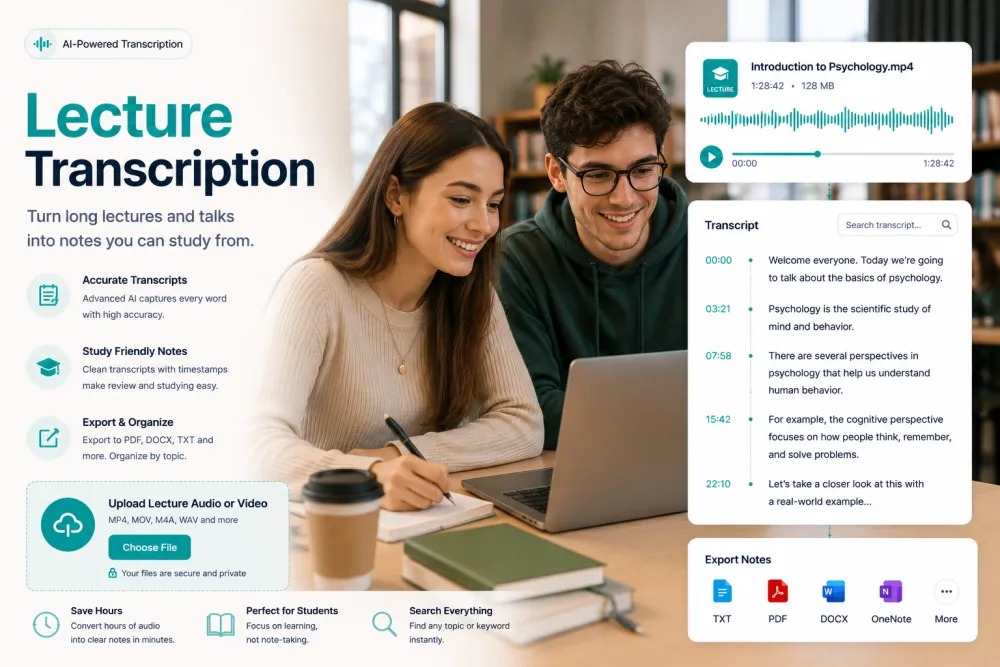
Transcribe a Lecture in Three Steps
Upload a lecture recording — no software to install.
Drag in the lecture file (MP3, M4A, WAV, MP4 and 30+ formats) from your phone or laptop — or hit Record to capture the class as it happens.
The recording becomes timestamped, punctuated text in minutes, with speaker labels when there is a Q&A.
Skim the summary, search for the topic you need, then export the notes as PDF, TXT, or DOCX.
Related reading
Discover More TranscribeThis Tools
Frequently Asked Questions
How do I transcribe a recorded lecture?
Upload the recording here and the AI converts it into timestamped, punctuated text in minutes. You can then search it, summarize it, and export it as study notes. Your file is processed on our servers — nothing to install.
Is lecture transcription free?
Yes — recordings up to 50 MB are transcribed free, with no signup. Paid plans add long full-semester recordings, higher volumes, and advanced features.
Can it handle poor lecture-hall audio?
That's what it's built for. Distant microphones, room echo, and background noise are handled well, though a phone placed closer to the lecturer always improves accuracy.
Can I record the lecture directly?
Record the class with your device — a phone, a laptop, or a recorder — and upload the file here, or record it in the browser with Record from Mic (free account). The transcript appears after the recording is processed, not live during the lecture. Always check your institution’s recording policy first.
Does it work with lectures in other languages?
90+ languages are detected automatically, and you can translate the finished transcript with one click — useful when studying in a second language.
Will the transcript show who is speaking?
Yes. Speaker labels separate the lecturer from student questions, so discussion sections stay readable.
Can I export the notes to my study app?
Export as PDF, TXT, DOCX, SRT, or VTT, or copy the text and paste it into any notes app.
Are my lecture recordings private?
Files are encrypted in transit and at rest and never used to train AI models. Guest uploads that are not saved to an account are deleted automatically.