


Search Every Lecture You Have Recorded
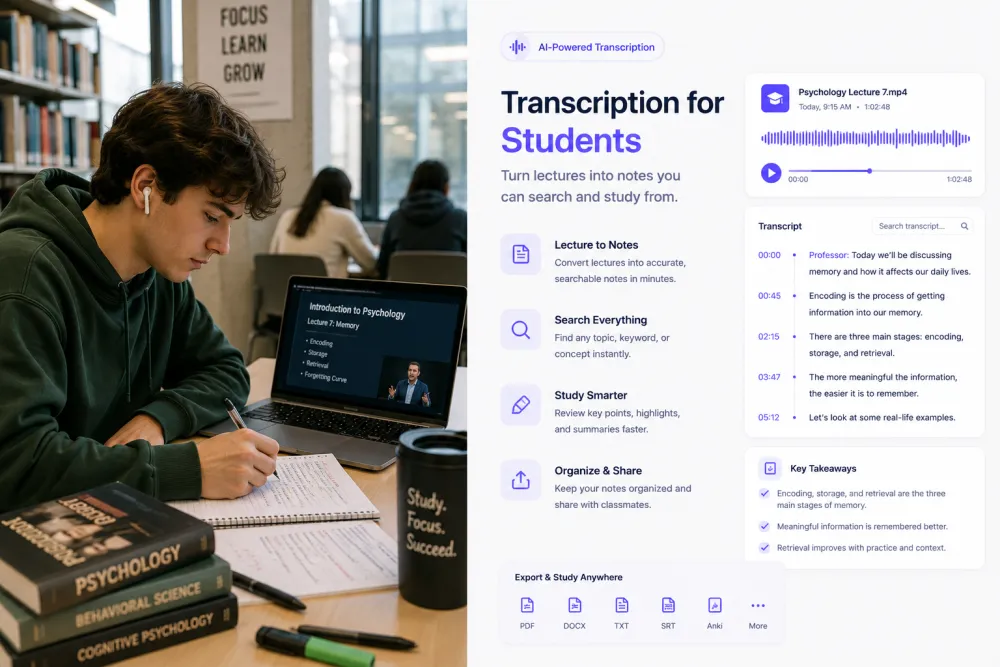
A semester of recordings is unusable if the only way in is scrubbing. Search the transcript for a term the lecturer used — a concept, a formula name, an author — and click the line to hear exactly how they explained it. Search across your library to find which lecture covered it in the first place.


AI Study Notes From a Two-Hour Lecture
Review the main concepts in minutes instead of replaying the class. The summary covers the topic, the key points, and the conclusions; further one-click passes pull out key quotes, action points, and any deadlines mentioned. The full transcript stays underneath, so a note you do not trust can be checked against what was actually said.
Export Study Notes You Can Revise From
Download the transcript and notes and take them into whatever you already revise in — a document, a notes app, a printout for the margin scribbles. TXT is free; PDF and DOCX are on paid plans, which is worth knowing before exam week rather than during it.


Follow a Lecture in a Language You Are Still Learning
If you are studying in a language that is not your first, the hard part is rarely the content — it is keeping up. A transcript lets you read at your own pace, and supported lectures can be translated in your account so you can check a passage you half-followed at the time.
What the Notes Look Like
A short excerpt from a recorded machine learning lecture, and the kind of notes the AI produces from the full class.
Illustrative example. The AI summarizes what the lecturer actually said rather than filling in a fixed template — there is no "definitions" or "exam topics" field it is obliged to complete, and it will not invent one if the lecture did not provide it.
Before an Exam
The week before an exam is the wrong time to be scrubbing through a two-hour recording looking for one explanation.
Read the notes for each lecture first and work out which classes you are actually shaky on.
Type the concept and jump straight to the minute the lecturer explained it, in their words.
Reading a transcript is faster than replaying a lecture, and you can skim the parts you already know.
A transcript is study material, not a substitute for the class. It reproduces what was said — including the bits the lecturer got tangled in — and it will not tell you what is on the exam unless someone in the room said so out loud.
Every Kind of Class You Record
If it was recorded and it has speech in it, it transcribes the same way.
The two-hour recording you will never replay in full, turned into something you can skim in ten minutes.
Smaller sessions where the useful part is often the discussion, and speaker labels keep track of who argued what.
Recorded course videos, transcribed so you can search a module instead of scrubbing the timeline.
Spoken procedure and the asides that never make it into the handout.
What your supervisor actually asked for, kept verbatim so the next draft answers it.
Working sessions where decisions get made and nobody was assigned to write them down.
Formats, Languages, and Limits
Spend More Time Learning, Less Time Taking Notes
Upload a lecture and review the transcript, speaker labels, and timestamps before choosing a plan. No signup for files up to 50 MB.
Related Pages
Frequently Asked Questions
Can AI transcribe lectures?
Yes. Upload the recording and you get a timestamped transcript with speaker labels in a few minutes — a one-hour lecture typically takes about two. Transcription works without an account for files up to 50 MB.
Can I upload Zoom lectures?
Yes. Upload the MP4 or audio-only file Zoom exports. Teams and Google Meet recordings work the same way, as does anything you download from Panopto, Canvas, Moodle, or Blackboard — over 30 audio and video formats are supported.
Can AI summarize a class?
Yes. The summary covers the topic, the key points, and the conclusions, and further one-click passes pull out key quotes, action points, and deadlines mentioned in the lecture. Summaries need a free account; the transcript itself does not.
Can I search lecture transcripts?
Yes, in two ways. Inside a lecture you can search the transcript and click any line to hear that moment. Across your account, one search box finds which lectures mention a term — useful when you remember a concept but not which week it was covered.
How accurate is lecture transcription?
Up to 99% on a clear recording. A lecturer with a lapel microphone recorded through the conferencing tool transcribes very well; a phone at the back of a hall does not. Distance from the speaker matters more than anything else, so record close to the source if you can.
Can AI identify who is speaking?
Yes. Speaker labels separate the lecturer from students asking questions, which matters in seminars and tutorials where the discussion is the point. Accuracy drops when people talk over each other or when a question is asked far from the microphone.
Can I translate a lecture?
Yes. 90+ languages are detected automatically, and supported transcripts can be translated from the editor in your account — useful if you are studying in a language you are still learning. Translation needs an account.
Can I export my notes as a PDF?
PDF and DOCX are paid exports, along with SRT and VTT. On the free tier you can export TXT and JSON and download the original audio, which is enough to move your notes into a document or a notes app.
How long does transcription take?
A one-hour lecture usually processes in about two minutes. Longer recordings take proportionally longer, and processing time also depends on the audio quality and how busy the queue is.
Can I upload a recorded seminar or tutorial?
Yes, and these are often the recordings worth transcribing most. In a seminar the useful material is the discussion, which is exactly what is hardest to reconstruct from memory a month later.
Can I transcribe a voice memo from my phone?
Yes. Upload the M4A, MP3, or WAV your recorder app produces. If you recorded a lecture on a phone in your bag, expect lower accuracy — the microphone is the limit, not the transcription.
Does it work for university and college classes?
Yes, for any recorded class. One thing to check first: universities differ on whether students may record lectures, and some require the lecturer’s permission or an accessibility arrangement. That policy is between you and your institution.
Can I use it to prepare for exams?
That is what most students use it for. Read the summary of each lecture, work out which classes you are shaky on, then search for the concepts you cannot recall and jump to the minute they were explained. What it will not do is predict what is on the exam.
Can I transcribe an online course?
Yes, if you have the recording as a file. Course videos you have downloaded transcribe the same as any other recording. Note that many course platforms do not allow downloading, and their terms are yours to check.
How long can a lecture be?
Free uploads are capped at 50 MB per file, roughly an hour of compressed audio — enough for most single lectures. Longer recordings and large video files need a paid plan.
Details on encryption, retention, and how we handle your files: Privacy Policy · Terms of Service
Reviewed by the TranscribeThis Speech Recognition Team.
Last updated: July 2026