


What Is Interview Transcription for Journalists?
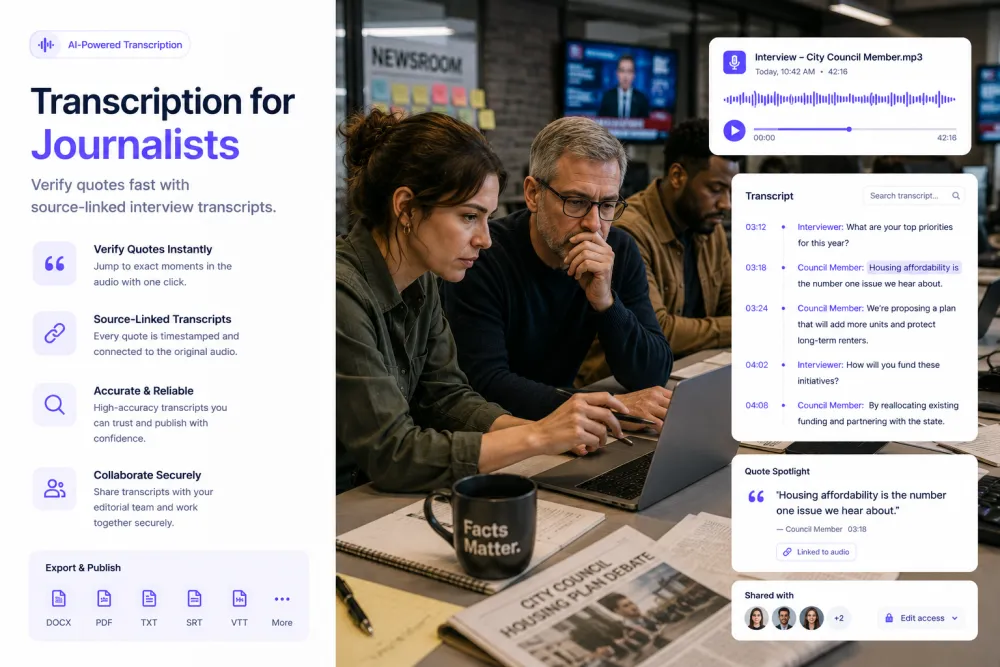
Interview transcription for journalists converts recorded reporting audio — source interviews, press conferences, briefings, and field tape — into searchable text with speaker labels and word-level timestamps. A reporter uploads the recording, receives a text record of what was said, and can play any line back at the moment it occurred, so a quote can be located, checked against the audio, and attributed with a time.
For a newsroom the value is not typing speed. It is that a contested quote can be produced and replayed weeks later, in front of an editor, a lawyer, or the source who says they were misquoted.
Journalism Transcription at a Glance
| Inputs | Source interviews, press conferences, briefings, field tape, recorded calls |
|---|---|
| Speakers | Reporter, source, spokesperson, and multiple questioners, labeled automatically |
| Quote search | Keyword search inside a transcript and across your recordings |
| Verification | Word-level timestamps — click a line to hear it said |
| Annotation | Colour highlights with a comment attached to the passage |
| AI output | Summary, key quotes, action points, decisions, risks, deadlines |
| Editorial boundary | No fact-checking, no claim verification, no automatic article writing |
| Sharing | Copy the text into any app, downloads, revocable read-only links |
| Account | Transcription works without an account; AI passes and annotation need a free account |
Find the Quote You Half-Remember
You remember a source saying something about the March deadline, and you have four hours of tape. Search the transcript for the word, click the line, hear it. Across your account, one search tells you which recordings mention a term at all — useful when a story has been running a month and the tape has piled up. It matches words rather than meaning, so a phrasing you did not search for will not surface.


Check the Wording Before It Runs
A transcript is a draft representation of speech. Before a quote goes into copy, play the line: names, figures, and dates are where automatic transcription fails, and they are usually the part of the sentence carrying the story. Highlight the passage, attach a note about what still needs checking, and the note stays with the recording through the edit.
One-Click Passes Over a Long Recording
A fixed catalogue of passes turns a ninety-minute briefing into something readable on deadline: a summary, plus key quotes, action points, decisions, risks, and deadlines. Each extracted line traces back to its timestamp. The pass reports what was said in the room. It does not check whether any of it was accurate.

What a Reporting Artifact Looks Like
An illustrative council-budget interview: the transcript excerpt, the note the reporter added, and the AI pass generated from the full recording.
Illustrative example, not a real source. The AI summarizes what was said rather than filling a fixed template — and summarizing a claim is not confirming it. The reporter comment is written by the reporter; the product does not decide that a date is wrong, or right.
What the Record and the Passes Give You
Depending on the recording, the transcript and the AI passes can help you locate:
Reporting Recordings
Anything recorded with speech in it transcribes the same way; these are the recordings that reach a newsroom most often.
The sit-down where the wording is the story. A paraphrase from notes is what gets challenged later; a timestamped line is what answers the challenge.
Room noise, camera shutters, and questions from across the hall. The transcript is usable; the podium's numbers still need checking against the handout.
Departmental and agency briefings where the useful material is often one qualified sentence buried in forty minutes of prepared text.
Long sessions returned to repeatedly over months, where an early contradiction only becomes visible after the fifth interview.
Doorsteps, protests, and scenes recorded outdoors. Wind and distance cost accuracy, so verify anything you intend to quote directly.
Studio and remote segments where a clean text version is needed for the web write-up and the clip selection.
Several speakers, interruptions, and a moderator. Speaker labels are what make the recording readable, and heavy overlap is where they slip.
Interviews conducted in another language, or switching between two. Transcription covers 90+ languages; a published translation still needs a person who speaks it.
Where Reporting Audio Comes From
Handheld recorders and phones
WAV and MP3 from a dedicated recorder are the best input for an in-person interview. A phone works too — placement on the table matters more than the device.
Zoom, Teams, and Google Meet
Upload the file your conferencing tool exports. Remote interviews recorded this way transcribe well, because each speaker sits close to their own microphone.
Recorded calls
Phone interviews recorded on a legal basis you have confirmed. Narrowband audio loses detail, so treat figures and names from a call as unverified until replayed.
Published video you have downloaded
A press conference or hearing available as video transcribes the same as audio once you have the file. Download it first — there is no connector that pulls from a platform.
TranscribeThis transcribes recordings you upload or record in the browser, and on paid plans its bot can join a briefing held on Zoom, Meet, or Teams. It cannot attend an in-person press conference for you, and it does not transcribe live — there is no running feed from a podium.
The Reporting Workflow
Each step is something a reporter already does on deadline; the transcript is what makes the verification step take seconds instead of an afternoon.
- Recording
- Transcript
- Check speakers
- Search for the quote
- Play the line
- Annotate
- AI passes
- Export or share
Shorthand and Rewinding the Tape vs. a Timestamped Record
| Notes and scrubbing audio | TranscribeThis |
|---|---|
| Hours transcribing, or a quote reconstructed from memory | A full record in minutes, reviewed rather than typed |
| A quote your notes say is right | A quote you can replay at its timestamp |
| Finding a passage means scrubbing back and forth | Finding a passage means searching for the word |
| A misquote complaint answered from recollection | A misquote complaint answered by playing the line |
| Old tape effectively unsearchable once the story moves on | Old recordings findable by keyword months later |
AI Transcript vs. Publishable Quote
A transcript is a draft representation of what was said. It is accurate enough that most lines need no change, which is exactly what makes the exceptions dangerous: the wrong ones do not announce themselves. Treat it as a working record for reporting, and treat a quote as unpublishable until you have played it back.
Accents, room noise, crossed talk, personal and place names, numbers, dates, and legal terminology are what automatic transcription gets wrong — and those are usually the words worth quoting. A figure or a date lifted from a transcript without replaying the audio is a correction waiting to be filed. Newsroom standards, editorial sign-off, and whatever you agreed with the source about attribution and embargo all still apply; a transcript changes none of them.
The neighbouring category is verification, and this is not it. TranscribeThis does not fact-check, does not check a claim against a public record, and does not tell you whether something a source said is true. It reports that the sentence was spoken and when. Establishing whether it is accurate is editorial work, done by a person.
Accuracy and Limitations in Reporting Audio
Accuracy is not a fixed number. These are the conditions that move it, and they map closely onto the words a reporter is most likely to quote:
Confidential Sources, Consent, and Newsroom Policy
A reporting recording is an identifiable person speaking, often on conditions they agreed with you. This section is guidance, not legal advice.
Many newsrooms restrict which material may be sent to any third-party service. Check the policy before uploading, not after. The decision belongs to your organization, not to a setting in a product.
Files travel over TLS and are stored encrypted. Guest uploads that are not saved to an account are deleted automatically; in an account, retention is under your control. Recordings are never used to train AI models.
TranscribeThis does not claim to, and a product that does should be treated with suspicion. Uploading material that could identify a protected source moves a copy of it outside your newsroom. Where policy prohibits that, do not upload it — that judgement is the newsroom's to make.
Rename speakers to a neutral label, and strip identifying detail from exports and share links, rather than relying on a link staying private. Share links are revocable, which is not the same as never having been opened.
Formats, Languages, and Limits
Try It With Real Tape
Upload an interview and check the transcript, speaker labels, and timestamps against the audio before choosing a plan. No signup for files up to 50 MB.
Related Pages
Frequently Asked Questions
Can TranscribeThis transcribe recorded interviews and press conferences?
Yes. Upload the recording and you get a speaker-labeled transcript with word-level timestamps, usually in a couple of minutes for an hour of audio. Transcription works without an account for files up to 50 MB.
Should I publish an AI-generated quote without checking it?
No. Play the line before it runs. Automatic transcription is reliable across ordinary speech and unreliable at exactly the points a quote depends on — a name, a figure, a date, a negation. A word-level timestamp means checking a quote takes seconds, which removes the only excuse for skipping it.
Does it fact-check the claims a source makes?
No. It records that a sentence was spoken and when. It does not check the claim against a public record, a filing, or a previous statement, and an AI pass that repeats a source's assertion is not confirming it. Verification is editorial work and stays with you.
Can I find a specific quote across my recordings?
Yes. One search finds which recordings contain a term, and inside a recording you can search and click a line to play that moment. It matches words rather than meaning, so a synonym you did not search for will not surface — search the phrasing the source would have used, not the phrasing in your copy.
Can it tell the reporter and the source apart?
Yes. Speaker labels separate the people in a recording automatically, which is what makes a transcript readable as an interview rather than a wall of text. Labels are worth checking in press conferences and panels, where overlap and similar voices reduce accuracy.
Is it suitable for confidential sources?
That depends on your newsroom's policy, and the honest answer is that no third-party processing tool can guarantee source protection — this one included. Files are encrypted in transit and at rest, guest uploads that are not saved to an account are deleted automatically, and recordings are never used for training. But uploading still puts a copy outside your newsroom. Where policy prohibits that for protected material, do not upload it, and use anonymized speaker labels where you do. The decision is the newsroom's, not the product's.
Can it record or transcribe a press conference live?
Not live. There is no live transcription. If the press conference runs on Zoom, Google Meet, or Microsoft Teams, on paid plans the TranscribeThis bot can join and record it (the host may need to admit it), and the transcript arrives afterwards. For an in-person event, record it yourself — the browser microphone works with a free account — or download the published file, then upload it.
What AI summaries are available?
A fixed catalogue: a summary of the recording, plus key quotes, action points, decisions, risks, and deadlines. They are one-click passes rather than a prompt you write, and they need a free account.
Can I highlight a passage and leave a note for my editor?
Yes. Select a passage, give it a colour, and attach a comment — what still needs checking, who to call, which document to pull. Both stay with the recording. Highlights are retrieved per recording; there is no single view of every highlight across a story.
Can it handle interviews in another language?
Yes, across 90+ languages, and you can translate from the editor with a free account. Treat a machine translation as a lead, not as a quote: a published translation of a source's words should be checked by someone who speaks the language, especially where an interview switches between two.
What can I export for filing and for the archive?
TXT and JSON on the free tier; PDF, DOCX, SRT, and VTT on paid plans, plus the original audio. You can copy a transcript into any app or share a revocable read-only link. There is no integration with a CMS or any other tool.
Can it write the story from the transcript?
No. It does not write articles, briefs, or scripts, and there are no custom templates. The passes summarize and extract from what was said; the reporting, the structure, and the judgement about what matters are yours.
Details on encryption, retention, and how we handle your files: Privacy Policy · Terms of Service
Reviewed by the TranscribeThis Speech Recognition Team.
Last updated: July 2026