


Find What Customers Actually Said
Instead of replaying hours of recordings, search your interview library for the exact word a customer used — pricing, onboarding, integrations, reporting — and open the interviews where it comes up. Highlight the passages that matter and leave a comment on each one.


AI Research Summaries
Every interview becomes an organized write-up. Beyond the summary itself, a catalogue of one-click passes pulls out key quotes, action points, decisions, risks, and deadlines from the same transcript, so a session turns into notes while it is still fresh.
Save Exact Customer Quotes
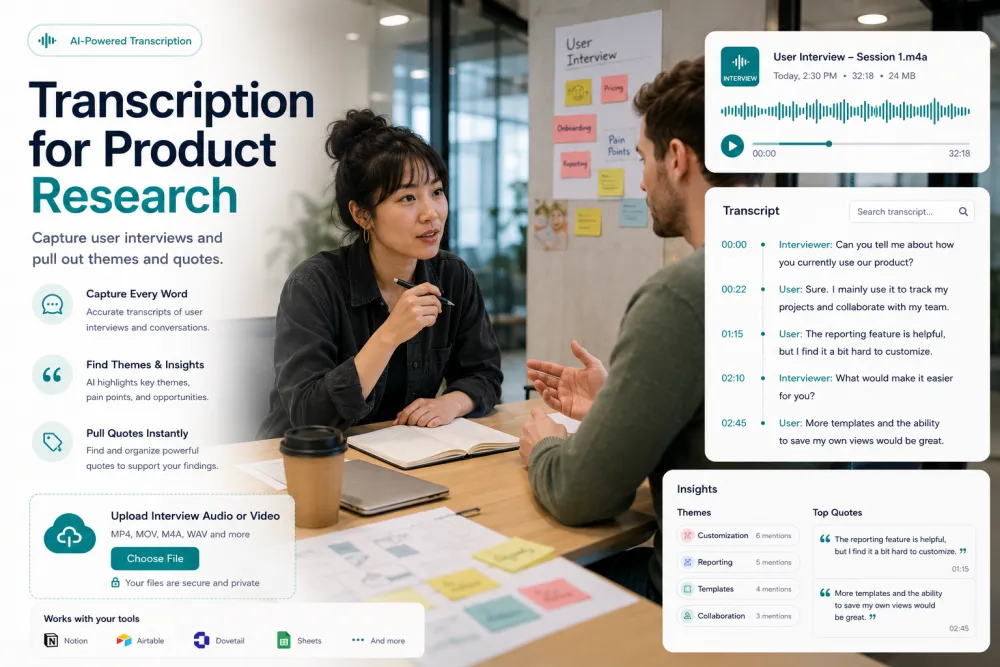
Find exactly where a customer mentioned a topic and click the line to jump to that moment in the recording. Copy the quote with its timestamp, so the sentence that lands in your findings doc is the one the participant actually said — not a paraphrase that drifted.


Share Findings With Your Team
Copy an interview or its summary into whatever app your team uses, or download it as PDF or DOCX and attach it wherever you need. For anyone outside your account, a share link opens the transcript in the browser with nothing to install.
Find Patterns Across Interviews
A single term searched across every interview you have recorded — that is how a recurring problem stops being a hunch.
Type the phrase a customer used and see every session where it came up.
Open the interviews that raised the same request and read them next to each other.
Follow a topic — pricing, reporting, onboarding — through months of conversations.
Worth being exact about how this works: search matches the words in your transcripts across your whole library. It surfaces the interviews where something was raised — you decide what counts as a theme. There is no automatic theme clustering and no ranking of what customers mention most.
Build a Searchable Research Repository
Every interview you upload becomes part of your research repository, so a study is not a folder of recordings nobody opens again. Months later the question "did anyone mention this?" has an answer you can check.
One search box over your whole library — find the interviews where a topic came up, then jump to the moment inside each one.
Apply your own tags and filter by them, so you can pull up "onboarding round 2" or everything recorded before a release.
Highlights and comments stay attached to the interview, so evidence for a finding survives past the readout.
Guest uploads that are not saved to an account are deleted automatically. In an account, interviews stay until you delete them or your retention setting removes them, which is what makes a library possible at all.
To be precise about what this is: search matches the words in your transcripts, so it finds the interviews where a topic was raised — it does not cluster themes or compare releases for you. And highlights are retrieved per interview; there is no single view of every highlight you have ever made.
Perfect For
The same transcript, summary, and search work across every kind of session a product team records.
One-to-one conversations where the value is in the participant’s own wording, not your paraphrase of it.
Early conversations before there is a product to test, where the goal is to hear the problem described in the customer’s own words.
Think-aloud recordings, transcribed so the moment of confusion is findable instead of remembered.
Sessions where a participant reacts to something unfinished — the reaction matters more than the outcome, and it is easy to lose.
Calls with early users, tagged by release so you can pull up everything said about a version.
Sessions you will need to quote later, when someone asks what the evidence for a decision actually was — including the jobs the customer said they were trying to get done.
Formats, Languages, and Limits
Try It With a Real Interview
Upload a recording and review the transcript, speaker labels, and timestamps before choosing a plan. No signup for files up to 50 MB.
Related Pages
Frequently Asked Questions
Can AI summarize customer interviews?
Yes. Every interview can be summarized, and a catalogue of one-click passes pulls out key quotes, action points, decisions, risks, and deadlines from the same transcript. The passes are a fixed set rather than a prompt you write, and they need a free account — transcription itself works without one.
Can I search interview transcripts?
Yes, in two places. Inside an open interview you can search the transcript and click any line to play that moment. Across your account, one search box finds the interviews whose transcript contains a word — useful for "which sessions mentioned pricing?" It matches words rather than meaning, so a synonym you did not search for will not surface.
Can I tag customer quotes?
You can highlight them. Select a passage, give it a colour, and attach a comment — the highlight stays with the interview. Tags work at the interview level rather than the quote level, so you can tag a session "onboarding study" and filter by it, but you cannot yet apply a tag to an individual quote.
Can multiple researchers collaborate on the same interview?
They can review it together through a share link, which opens the transcript read-only in a browser and can be revoked whenever you want. What does not happen automatically: team plans share billing seats, not libraries, so a colleague on your plan does not see your interviews until you share them.
Can I export to Notion?
Not directly — there is no Notion integration. Copy the transcript or summary and paste it into a Notion page, or download it as TXT (or DOCX or PDF on paid plans) and import the file. The same goes for Slack, Google Drive, and Google Docs: nothing syncs automatically. There is no Jira or Confluence integration either.
Does it work with Zoom interviews?
Yes. Upload the MP4 or audio-only recording Zoom exports. Teams, Google Meet, Webex, and phone recordings work the same way — over 30 audio and video formats are supported, so no conversion is needed.
How accurate is speaker identification?
Speaker labels are reliable on clear recordings where people take turns, which most research interviews are. Accuracy drops when participants talk over each other, when the microphone is far away, or when a session was recorded in a room rather than through the conferencing tool.
Can I translate interviews?
Yes. 90+ languages are detected automatically, and supported transcripts can be translated from the editor in your account — so an interview run in one language can be read by a team that does not speak it. Translation needs an account.
Can I export a PDF?
Yes, on a paid plan. PDF, DOCX, SRT, and VTT are paid exports; TXT and JSON are available on the free tier along with the original audio file.
How secure are the recordings?
Files are encrypted in transit and at rest and are never used to train AI models. Guest uploads that are not saved to an account are deleted automatically; files in your account stay until you delete them or your retention setting removes them. If your participants signed a consent form with a retention limit, that retention is yours to manage.
Can AI identify recurring themes across interviews?
Not automatically, and it is worth being straight about that. Search finds every interview where a word or phrase was used, which is how most researchers spot a recurring pain point in practice — but the product does not cluster feedback into themes, rank what customers mention most, or tell you what the pattern is. Naming the theme stays your job.
Can I compare customer interviews?
You can put them side by side: search a topic across your library, open the interviews where it came up, and read the exact quotes with their timestamps. What does not exist is an automatic comparison view or a chart of feedback across releases — tagging interviews by release and searching within a tag is the closest thing, and it works well.
Details on encryption, retention, and how we handle your files: Privacy Policy · Terms of Service
Reviewed by the TranscribeThis Speech Recognition Team.
Last updated: July 2026