


Which workflow each fits
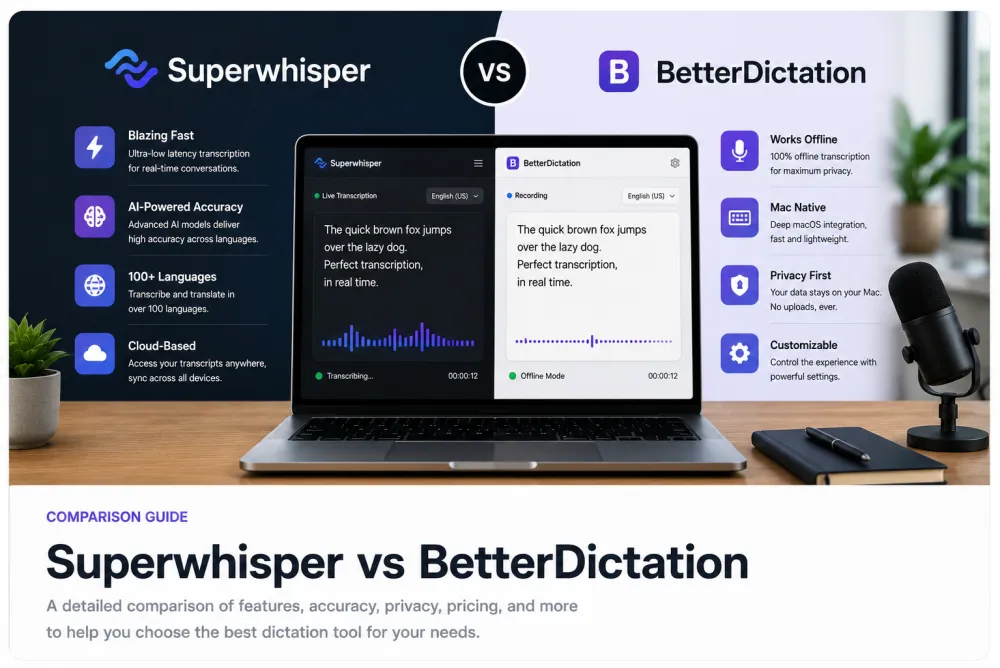
Superwhisper and BetterDictation both belong to the same category: dictation. You talk, and your words appear as text where your cursor is — in an email, a note, a chat box, a code editor. That is a fundamentally different job from transcribing a file you already have. Choosing between the two is really about which one dictates more comfortably on the devices and in the apps you actually use.
A long-form transcription editor answers a different question: "I have a 40-minute interview, meeting, or lecture recording — turn it into a reviewable, editable, exportable transcript." Dictation tools are built for live composition; transcription editors are built for recordings after the fact. Deciding which category you are in is the first and most important step.
What to evaluate for a dictation app
When two products do the same job, the decision comes down to fit, not to a feature scorecard. Test the ones you are considering on your own machine and in the apps you dictate into most, and judge them on the criteria below. Pricing, plan limits, and platform support change frequently, so confirm the current details on each vendor's own page rather than trusting any third-party summary.
| Criteria | What to check | TranscribeThis (long-form) |
|---|---|---|
| Platforms | Does it run on your OS (macOS, Windows, iOS, Android) and in the apps you type into? Check the vendor's current page. | Runs in the browser; upload or record, then edit and export |
| Accuracy | Dictate a few of your own real sentences — names, jargon, numbers — and compare the raw output. | AI draft you review against the audio; up to ~99% on clear speech, not guaranteed |
| Latency | How quickly text appears after you speak, and whether it feels natural for live composition. | Not live — the recording is processed after upload |
| Offline | Does it run on-device with no network, or send audio to a server? Confirm on the vendor's page. | Cloud service; audio is uploaded to be processed |
| Customization | Custom vocabulary, text replacements, formatting rules, and dictation commands. | Fixed AI actions menu (summaries, action points, quotes); no custom prompts |
| Privacy | Where audio is processed, what is retained, and whether content trains models. Read the vendor's policy. | TLS in transit, configurable retention, no-training terms with processing partners |
Offline and privacy
Offline capability is the sharpest dividing line in the dictation category. Some dictation tools run their speech model entirely on your device, so nothing leaves your machine and you can dictate on a plane or behind a firewall; others stream your audio to a server for recognition. If you dictate sensitive material, this distinction matters more than raw accuracy, so verify each app's current stance directly.
- On-device processing means audio never leaves your machine and often works with no network — check whether the app you want does this.
- Cloud processing usually needs a connection; read where audio is processed, how long it is kept, and whether your content is used to train models.
- Enterprise or regulated use adds its own questions (data residency, retention controls) — confirm these on the vendor's policy page, not a comparison article.
For the long-form side: TranscribeThis is a cloud service — your file is uploaded over TLS and processed on servers. Retention is configurable and you can delete files yourself; guest uploads are removed automatically unless saved to an account, and processing partners operate under no-training terms.
Customization and editing
Dictation apps differ most in how much they let you shape the output as you speak. Look for custom vocabulary (so proper nouns and jargon are spelled right), text replacements and snippets, automatic punctuation and formatting, and spoken commands ("new line", "select that"). These features are what make dictation feel fast instead of fighting the tool — so test them on the words you actually say.
Editing is the other half. A dictation tool typically inserts text and leaves correction to whatever app you dictated into. A long-form transcription editor is the opposite: it gives you the whole transcript in one place with word-level timestamps, so you can click a word to hear it and fix names, numbers, and terms against the recording. If your work is reviewing and correcting a recording rather than composing live, that editing surface is the point.
Dictation vs long-form transcription
Dictation and transcription solve opposite problems, and mixing them up leads to buying the wrong tool. Dictation is live: you speak now and text appears now, for composing messages, notes, and documents. Long-form transcription is after the fact: you already have a recording — an interview, a meeting, a lecture — and you want it turned into an editable, exportable transcript. Superwhisper and BetterDictation live firmly on the dictation side.
| Dictation (Superwhisper, BetterDictation) | Long-form transcription (TranscribeThis) | |
|---|---|---|
| Input | You speak live into the app | You upload or record a file, then process it |
| Output | Text typed into wherever your cursor is | A full transcript with timestamps you can edit and export |
| Best for | Emails, notes, chat, code, quick composition | Interviews, meetings, lectures, podcasts, voice memos |
| Review | Correct in the app you dictated into | Review the whole transcript against the audio, then export TXT/DOCX/PDF/SRT/VTT |
When to use each
Match the tool to the job rather than to a brand.
- Choose a dictation app (Superwhisper or BetterDictation) when you want to talk instead of type — drafting emails, notes, documents, or code by voice, live, into other apps. Pick between them on platform fit, offline support, customization, latency, and privacy, tested on your own device.
- Choose a long-form transcription editor like TranscribeThis when you already have a recording — an interview, meeting, lecture, or voice memo — and need an editable, timestamped, exportable transcript rather than live-typed text.
- Some people need both: a dictation tool for composing and a transcription editor for recordings. They are complementary, not competitors.
Illustrative example. A journalist might dictate their notes and follow-up emails with a dictation app, then upload the recorded interview to a long-form transcription editor to get a reviewable transcript with speaker labels and timestamps. Two jobs, two tools.
Frequently Asked Questions
Superwhisper vs BetterDictation — which is better?
Both are dictation tools that turn your speech into text on your device, so the better choice depends on fit: which platforms they support, how they handle offline use, customization, latency, and privacy. Test each on your own machine and in the apps you dictate into. We do not publish either app's prices or specs as fact — confirm current details on each vendor's page.
What is BetterDictation?
BetterDictation is, in general terms, a voice dictation tool — you speak and it types your words into other apps. For its current platforms, pricing, and features, check BetterDictation's own page; pricing and limits change frequently and we do not state them as fact here.
What is Superwhisper?
Superwhisper is a dictation app in the same category: it converts your speech into text where your cursor is, rather than transcribing existing recordings. For current platform support, pricing, and offline behaviour, see Superwhisper's own page.
Is dictation the same as transcription?
No. Dictation is live — you speak now and text appears now, for composing messages and documents. Transcription is after the fact — you have a recording and want it turned into an editable transcript. Superwhisper and BetterDictation are dictation tools; TranscribeThis is a long-form transcription editor.
Do these dictation apps work offline?
Some dictation software runs its speech model on-device and works with no network; other tools send audio to a server. This varies by app and version, so confirm each product's current offline behaviour on its own page rather than assuming.
What should I look for in voice dictation software?
Platform support for your OS and apps, accuracy on your own vocabulary, latency (how fast text appears), offline capability, customization (custom vocabulary, replacements, commands), and privacy (where audio is processed and whether it trains models). Test candidates on real sentences you actually say.
Can I use TranscribeThis for dictation?
No. TranscribeThis is post-recording long-form transcription: you upload or record a file and it is processed into an editable transcript afterward. It does not type your speech into other apps live. For live dictation, use a dedicated dictation app.
Which tool transcribes a recorded interview or meeting?
A long-form transcription editor, not a dictation app. Upload the recording to TranscribeThis to get a transcript with word-level timestamps and speaker labels (on paid plans) that you can review against the audio and export. Dictation tools are built for live composition, not for processing existing files.
Related resources
Reviewed by the TranscribeThis product team · Last updated: July 2026