


At a glance
| Biggest lever | Model size — smaller models are dramatically faster but less accurate |
|---|---|
| Hardware | A GPU with fp16/int8 usually beats CPU by a large margin on long audio |
| Implementation | CTranslate2-based runtimes (faster-whisper) and batched inference help throughput |
| Long-form aid | VAD-based chunking skips silence and enables parallel processing |
| Timestamps | Word-level alignment (e.g. WhisperX) adds a pass — precision vs. speed trade-off |
| Always measure | Benchmark speed AND accuracy on representative audio, one change at a time |
| No-setup path | A managed service removes GPU provisioning, batching, and scaling work |
What actually determines Whisper speed
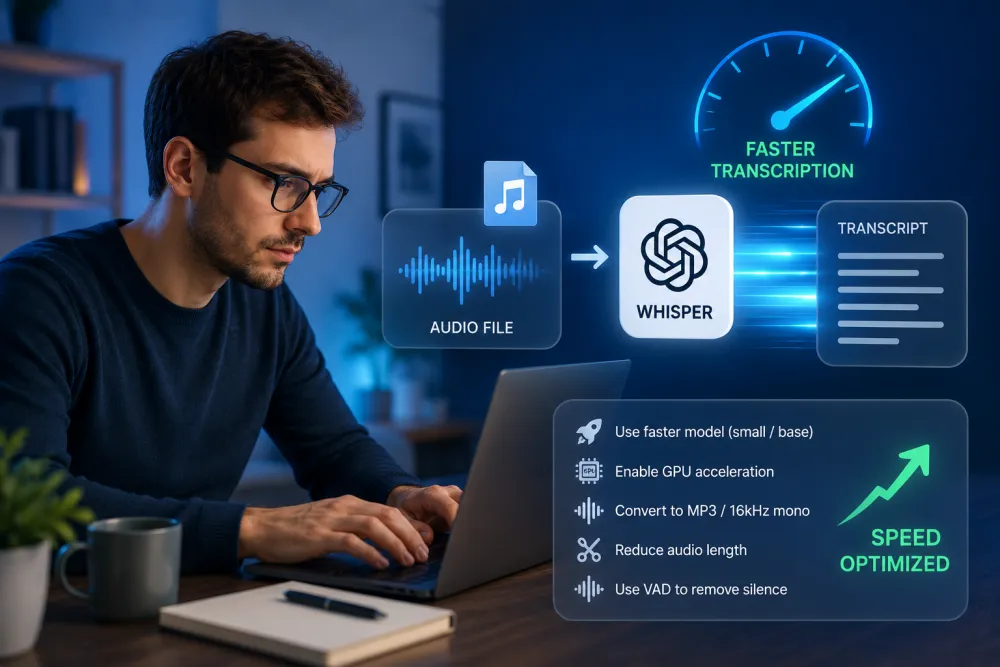
Whisper transcription speed is set by six things you can control: the model size you load, the hardware you run on, the numeric precision, whether you batch and chunk the audio, how you handle silence, and which implementation you use. Each lever trades some combination of speed, accuracy, and timestamp precision, so the right configuration depends on your audio and your tolerance for errors.
Benchmark before you optimize
Measure your current pipeline before changing anything. Without a baseline you cannot tell whether a change helped, and speed gains are meaningless if accuracy quietly degrades. Pick a representative sample of your real audio — not a clean studio clip — and record both throughput and error rate for every configuration you test.
- Report speed as the real-time factor (RTF) or its inverse, the "×real-time" ratio: 10 minutes of audio processed in 1 minute is roughly 10× real-time on that setup.
- Track accuracy with word error rate (WER) against a hand-checked reference transcript, not by eyeballing a few lines.
- Fix the variables: same audio, same model, same hardware, change one lever at a time so you can attribute the difference.
- Include warm-up. First runs pay model-load and CUDA-init costs; measure steady-state throughput separately from cold start.
Choose the right model size
Model size is the single biggest speed lever. Whisper ships in a ladder from tiny to large, and each step up trades throughput for accuracy. Smaller models transcribe faster and use less memory; larger models handle accents, noise, and specialist vocabulary better. The right choice is the smallest model that still meets your accuracy bar on your audio.
| Model | Relative speed | Typical use |
|---|---|---|
| tiny / base | Fastest, lightest | Clean single-speaker audio, drafts, quick previews, resource-limited devices |
| small | Fast | Good general balance when large is too slow |
| medium | Moderate | Harder audio where small misses too much |
| large (v2 / v3) | Slowest, heaviest | Accents, noise, multilingual, jargon — accuracy-critical work |
English-only variants (the ".en" models) can be faster and slightly more accurate on English than the multilingual model of the same size. Distilled variants (for example distil-whisper) target large-model quality at a fraction of the cost, but validate them on your audio — distillation can regress on edge cases.
Use a GPU and the right precision
A GPU is usually the largest hardware win for long audio, and reduced precision compounds it. Whisper runs the same weights in fp32, fp16, or quantized int8; lower precision means faster matrix math and less memory, at some risk to accuracy. On modern NVIDIA GPUs, fp16 is the common default and int8 pushes throughput further.
- fp16 (half precision): a strong GPU default — noticeably faster than fp32 with usually negligible accuracy loss.
- int8 quantization: faster still and much lighter on memory, letting you run larger models or bigger batches; watch for small WER regressions on hard audio.
- int8_float16 (mixed): a middle ground some runtimes offer — quantized weights with fp16 compute.
- CPU-only: viable for short clips and small models, and int8 helps a lot there, but expect long runtimes on hour-long files.
Batching and chunking
Batching and chunking raise GPU utilization on long files. Whisper natively processes audio in 30-second windows; batched implementations split a long file into many windows and run them through the model together, keeping the GPU busy instead of feeding it one segment at a time. This is where much of the throughput gain in modern runtimes comes from.
- Larger batch sizes improve utilization until you hit a memory ceiling — tune batch size to your GPU's VRAM, backing off if you see out-of-memory errors.
- Chunk on natural boundaries (silence or VAD segments) rather than mid-word cuts, which can drop or duplicate words at seams.
- Sequential (non-batched) decoding preserves cross-window context that some batched modes sacrifice; if you see repetition or context loss, compare against sequential mode.
- For truly long files, chunking is also what makes parallelism possible (see below).
Voice activity detection (VAD)
Voice activity detection speeds up transcription by not transcribing silence. A VAD pass detects where speech actually occurs and passes only those segments to Whisper, so long recordings with gaps, pauses, or dead air spend model time only on audio that contains words. On sparse recordings this can cut total work significantly.
- VAD reduces the audio Whisper has to decode, which lowers cost on files with lots of silence (voicemails, monitored calls, long meetings with quiet stretches).
- It also suppresses a common Whisper failure mode: hallucinated text during silence, where the model invents words in the absence of speech.
- VAD adds its own lightweight pass, and aggressive thresholds can clip quiet or trailing speech — tune sensitivity and verify you are not dropping real words.
WhisperX and word alignment
WhisperX combines batched inference, VAD, and a separate alignment model to produce accurate word-level timestamps. Vanilla Whisper emits segment-level timing that can drift; WhisperX runs a forced-alignment pass (typically a phoneme model) after transcription to snap words to the audio. That extra pass costs time but yields much tighter timestamps, which matters for captions and clickable transcripts.
- Use WhisperX-style alignment when you need reliable word timings — subtitles, karaoke-style highlighting, or seek-to-word playback.
- The batched-inference and VAD parts are the throughput win; the alignment pass is an accuracy-of-timestamps win that adds work.
- Diarization (who spoke when) is a further separate model on top — budget for it, and note its speaker boundaries are approximate.
- If you do not need word-level timing, skipping alignment is a straightforward way to go faster.
Parallelism for long files
Parallelism helps most when you have many files or one very long file that can be split. Because Whisper processes fixed windows, a long recording can be chunked on silence boundaries and transcribed across multiple workers or GPUs, then reassembled. For a queue of separate files, running several in parallel is often the simplest scaling win.
- Across files: process independent recordings concurrently on multiple GPU workers — near-linear scaling until you saturate hardware.
- Within one file: split on VAD/silence boundaries so seams fall in gaps, transcribe chunks in parallel, then stitch, deduplicating any overlap at the joins.
- Watch the seams. Naive mid-audio splits cause boundary errors — dropped or repeated words where two chunks meet.
- Parallelism raises throughput, not per-file latency of a single short clip; a small file gains little from being split.
Speed vs. accuracy vs. timestamps
Every speed lever trades against accuracy, timestamp precision, or both. The table below summarizes the direction of each trade so you can pick deliberately. Effects vary by audio and hardware — this is a map of what moves, not a promise of specific numbers.
| Lever | Speed effect | Accuracy / quality trade-off |
|---|---|---|
| Smaller model (tiny/base) | Large speedup | Lower accuracy on accents, noise, and jargon |
| GPU vs. CPU | Large speedup on long audio | None inherent — same model, faster hardware |
| fp16 precision | Faster than fp32 | Usually negligible accuracy loss |
| int8 quantization | Faster, much less memory | Small WER regression possible on hard audio |
| Batching / larger batch | Higher GPU utilization | Some batched modes lose cross-window context |
| VAD (skip silence) | Faster on sparse audio | Aggressive thresholds can clip quiet speech |
| Word alignment (WhisperX) | Adds a pass (slower) | Much better word-level timestamps |
| Parallel workers | Higher throughput | Boundary errors at chunk seams if split naively |
When a managed service is cheaper than self-hosting
Self-hosting Whisper is worth it when you have steady, high volume and the engineering time to run GPUs; a managed service is usually cheaper for spiky or occasional workloads. Running your own pipeline means paying for idle GPU time, handling driver and CUDA upgrades, tuning batching and VAD, and building retry, scaling, and monitoring — real ongoing cost beyond the model itself.
- Self-host when: volume is high and predictable, you need full control over the model and data locality, and you already have GPU ops in place.
- Use a managed service when: volume is bursty or low, you lack GPUs, or the setup and maintenance time outweighs the per-minute price of an API.
- Hidden self-hosting costs: idle GPU hours, VRAM sizing, out-of-memory tuning, upgrades, and on-call for a transcription queue.
Frequently Asked Questions
How do I speed up Whisper transcription?
Use the smallest model that meets your accuracy bar, run on a GPU with fp16 or int8 precision, batch and chunk long audio, and use VAD to skip silence. A faster-whisper-style (CTranslate2) runtime helps too. Benchmark each change on your own audio and measure both speed and word error rate.
What is faster-whisper and is it actually faster?
Faster-whisper is a reimplementation of Whisper on the CTranslate2 inference engine, with int8/fp16 quantization and batched decoding. It commonly delivers substantially higher throughput and lower memory use than the original for the same model size, but exact gains depend on your GPU, precision, and audio — measure on your setup.
How much faster is Whisper on a GPU than CPU?
For long audio the difference is usually large, because Whisper is a transformer that GPUs run far more efficiently than CPUs, especially at fp16. The exact multiplier depends on GPU model, precision, and batch size, so benchmark your own files rather than relying on a headline number.
Does a smaller model always transcribe faster?
Yes — tiny and base are the fastest and lightest, and each step up to large is slower and more accurate. The trade-off is quality on accents, noise, and specialist vocabulary. Pick the smallest model that still passes your accuracy check on representative audio.
What is WhisperX good for on long-form audio?
WhisperX combines batched inference and VAD for throughput with a forced-alignment pass for accurate word-level timestamps. It is a good fit for long recordings that need reliable per-word timing — subtitles, clickable transcripts, or diarization. The alignment and diarization passes add time on top of transcription.
Does int8 quantization hurt accuracy?
It can, slightly. int8 is faster and uses much less memory, but it may raise word error rate on difficult audio. On clean speech the difference is often minor. Re-measure WER after switching precision and decide whether the speedup is worth any accuracy change for your use case.
How do I transcribe a very long file without running out of memory?
Chunk the file on silence or VAD boundaries and process the chunks in batches sized to your GPU's VRAM, backing off batch size if you hit out-of-memory errors. int8 precision lowers memory further. Deduplicate any overlap where chunks meet so words are not dropped or repeated at the seams.
Should I self-host Whisper or use a managed service?
Self-host when volume is high and predictable and you have GPU operations in place; a managed service is usually cheaper for spiky or occasional workloads because you avoid idle GPU cost, tuning, and maintenance. TranscribeThis is a managed, no-setup option you can test free on the first 5 minutes of a file.
Related resources
Reviewed by the TranscribeThis product team · Last updated: July 2026