


At a glance
| What QuillBot summarizer is | A text tool: you paste or upload text, it returns a shorter version |
|---|---|
| What it needs as input | Text you already have |
| What a transcript workflow needs | Audio in, speaker labels, timestamps, and verification against the source |
| Relationship | Adjacent, not equivalent — a summarizer and a transcriber solve different steps |
| TranscribeThis free (no account) | First 5 minutes transcribed, files up to 50 MB, preview export |
| For exact QuillBot plans/limits | Check QuillBot's current pricing page — this review does not quote them |
What the QuillBot summarizer does
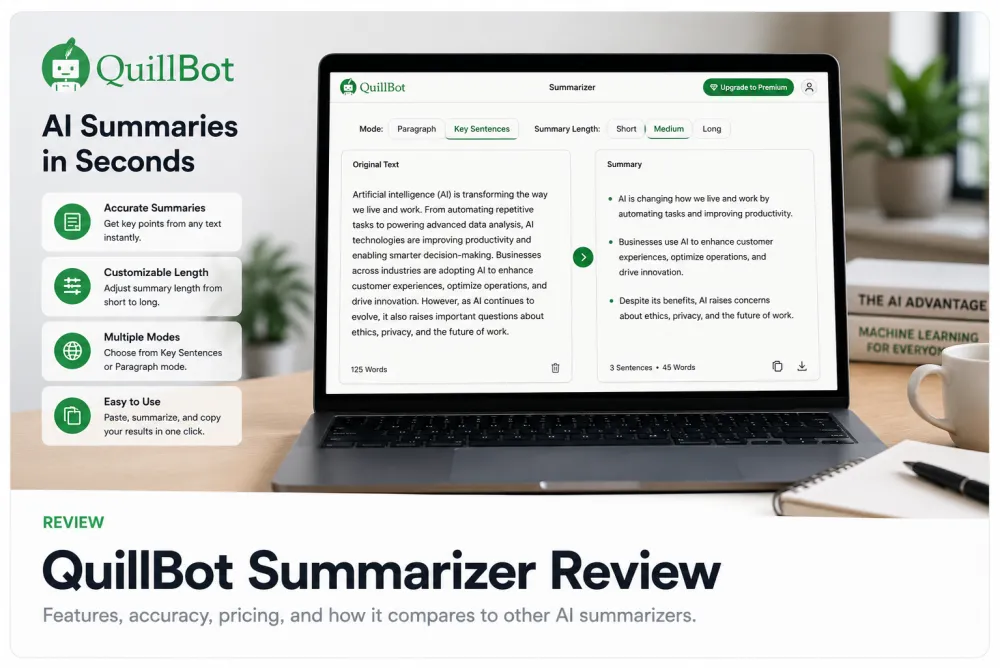
QuillBot is best known as a writing-assistant suite, and its summarizer is a text tool: you paste in an article, paragraph, or document and it returns a shorter version — typically as a condensed paragraph or a set of key points. It works on text you already have, not on audio or video.
That makes it useful for reading tasks: cutting a long article down to its gist, skimming a report, or pulling talking points from a document you can already read. Those are real jobs, and a good text summarizer does them well.
Last verified: July 2026 — pricing, limits, and features change; check QuillBot's current page before deciding.
Text summarizer vs transcript workflow
A text summarizer and a transcript workflow are adjacent, not equivalent. A summarizer starts from text and ends with shorter text. A transcript workflow starts from a recording and has to solve four problems a text tool never touches: getting the audio in, telling speakers apart, anchoring every line to a moment in the recording, and letting you verify the summary against what was actually said.
| Capability | Text summarizer (e.g. QuillBot) | Transcript workflow (TranscribeThis) |
|---|---|---|
| Starting input | Text you paste or upload | Audio or video file, recording, or a YouTube link |
| Turns speech into text | No — you need a transcript first | Yes — that is the core job |
| Speaker labels (who said what) | No | Yes, on Standard and Premium (diarization) |
| Timestamps linking to the source | No | Word-level for uploads/recordings; segment-level for YouTube |
| Verify output against the recording | No source audio to check against | Click a line to jump to that moment in the audio |
| Summary of the content | Yes — its main purpose | Yes — a fixed AI-summary menu over the transcript |
Read the table as a division of labour, not a scoreboard: if all you have is text, a summarizer is the right tool; if you have a recording, you need transcription first, and a summary built on a verifiable transcript keeps a trail back to the source.
Accuracy, omissions, and hallucination risk in any summarizer
Every AI summarizer can drop important points or state things the source did not — so the safe habit is to verify the summary against the original, whichever tool you use. A summary is a compression: it decides what to keep, and any lossy compression can lose the line that mattered or smooth over a caveat.
- Omission: the summary reads cleanly but leaves out a decision, number, or condition you needed.
- Hallucination: the summary asserts something the source did not actually say.
- Attribution drift: in a multi-speaker context, a summary can put the right point in the wrong mouth.
This is exactly where a source link matters. When a summary sits on top of raw pasted text, checking it means re-reading the whole document. When it sits on top of a transcript with timestamps, you can click a claim and hear the passage it came from — verification takes seconds instead of a re-read.
Using QuillBot for transcripts
You can use a text summarizer on a transcript, but only after you already have the transcript — and you lose the timestamp trail in the process. Because QuillBot works on text, the workflow is: transcribe the recording elsewhere, copy the transcript, paste it into the summarizer, and read the result.
That works, with two costs. First, you still need a separate transcription step, so the summarizer is not a replacement for a transcription tool — it is a stage after one. Second, once the transcript is pasted as plain text, the summary is no longer linked to the audio: there is no per-line timestamp to click, so verifying a summarized claim means scrubbing back through the recording by hand.
Illustrative example. You summarize a pasted 45-minute interview transcript and the summary says a budget was approved. With plain text you must skim the whole transcript to confirm it; with a source-linked transcript you click that line and hear the exact sentence. Same summary, very different verification cost.
Source-linked transcript summaries
TranscribeThis summarizes the transcript it produced, so every summary keeps a trail back to the recording. Instead of pasting text into a separate tool, you transcribe the audio and then run a fixed menu of AI summary passes over the same transcript — with the timestamps still attached.
The AI actions are a fixed menu, not open-ended custom prompts. The passes cover:
- Short and extended summaries
- Action points, decisions, and next steps
- Key quotes and risks
- Deadlines and meeting minutes
- Topic segmentation with a table of contents
Because these run on a transcript with word-level timestamps (for uploads and recordings), you can move from a summarized line back to the moment it came from. That is the practical difference from summarizing raw pasted text: the summary stays checkable against the source.
Best alternatives by need
Choose by what you actually have and need to produce. The three cases split cleanly.
| Your situation | Right kind of tool |
|---|---|
| You have text and just want it shorter | A text summarizer like QuillBot — check its current plans on the vendor page |
| You have a recording and need who-said-what plus a checkable summary | A transcript workflow like TranscribeThis (transcribe, then summarize with timestamps) |
| You need a certified, verbatim record for legal or medical use | A professional human transcription service — AI drafts are not certified records |
For a recording, transcription comes first and summarization second; a summarizer alone cannot start from audio. For pure reading tasks on text you already have, a summarizer is the simpler fit. Confirm any specific plan, limit, or price on the vendor's current page before you decide.
Last verified: July 2026 — pricing, limits, and features change; check QuillBot's current page before deciding.
Frequently Asked Questions
What is the QuillBot summarizer?
It is a text summarizing tool: you paste or upload text and it returns a shorter version, usually as a condensed paragraph or a list of key points. It works on text you already have, not on audio or video. For current plans and limits, check QuillBot's own page.
Does the QuillBot AI summarizer transcribe audio?
No. It summarizes text. To summarize a recording you would first transcribe it with a separate tool, then paste the transcript in — at which point the summary is no longer linked to the audio.
Can I use the QuillBot summarize tool on a meeting transcript?
Yes, if you already have the transcript as text. You paste it in and get a summary. The trade-off is that you lose the per-line timestamps, so verifying a summarized claim means scrubbing back through the recording manually.
What are the best QuillBot alternatives for transcripts?
For a recording, use a transcript workflow that ingests audio, labels speakers, and keeps timestamps — then summarizes the transcript, so each summary line links back to the source. For a certified verbatim record, use a human transcription service.
Is a summarizer the same as a transcription tool?
No — they are adjacent, not equivalent. A summarizer shortens text you provide. A transcription tool turns speech into text and handles speaker labels and timestamps. A recording needs transcription first; the summary is a later step.
How do I check a summary for mistakes?
Compare it to the source. Confirm it kept every decision and number, that it did not invent anything, and that each claim traces back. A source-linked transcript makes this fast because you can click a line and hear the passage it came from.
Does TranscribeThis use custom AI prompts to summarize?
No. It runs a fixed menu of summary passes — short and extended summaries, action points, decisions, next steps, key quotes, risks, deadlines, meeting minutes, and topic segmentation — over the transcript, not open-ended custom prompts.
Where can I find QuillBot's current pricing and limits?
On QuillBot's own pricing page. Pricing and plans change frequently, so we do not quote specific numbers here — confirm them at the source before deciding.
Related resources
Reviewed by the TranscribeThis product team · Last updated: July 2026