


At a glance
| Workflow | Two stages: (1) transcribe German audio, (2) translate the transcript |
|---|---|
| Language detection | Automatic — German is detected without you selecting it |
| Translation | Transcript translation into 30+ languages, including German↔English |
| Speakers | Speaker labels kept through translation on Standard/Premium |
| Timestamps | Word-level on uploads/recordings; preserved when you translate |
| Free (no account) | First 5 minutes transcribed, files up to 50 MB, preview export |
| Formats out | TXT, DOCX, PDF, SRT, VTT (full export paid; free = preview) |
Quick answer
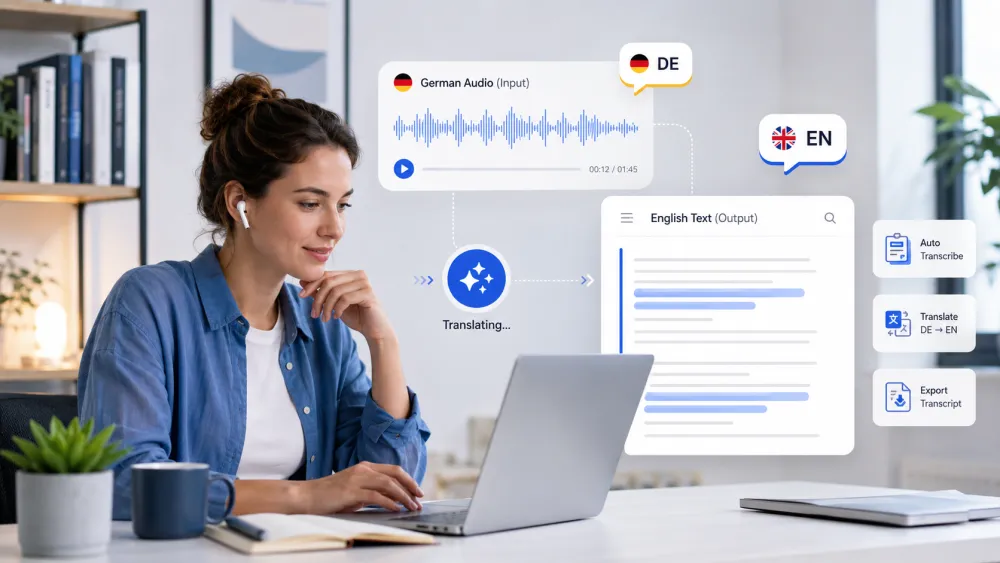
Translating German audio to English is two separate steps, and treating them as one is where quality breaks down. First you transcribe the German speech into German text. Then you translate that text into English. The translation stage can only work with the words the transcription stage produced — so a misheard German phrase becomes a confidently wrong English sentence.
The practical takeaway: spend your review effort on the German transcript before you translate. Fix names, numbers, and any passage the recognizer was unsure about while you still have the source audio to check against. Once the German is right, the English translation is fast and reliable.
Step 1 — Create a German transcript
Start by transcribing the German audio into German text — do not translate yet. Upload or record the file in the uploader at the top of this page. The recognizer auto-detects the spoken language, so you do not need to select German; it identifies the language from the audio itself.
Without an account you can transcribe the first 5 minutes of a file up to 50 MB, which is enough to check how well your German audio is recognized before committing to the whole recording. Accuracy is highest on clear, close-mic speech and drops on noisy phone calls, heavy dialect, or crosstalk.
- Use the original recording, not a re-compressed copy — every re-export loses detail.
- Let auto-detection identify German; no manual language selection is required.
- Transcribe the German audio as German first. Do not skip straight to English.
Step 2 — Review names, dialects, and technical terms
Review the German transcript against the audio before translating, because this is the last point where a mistake is cheap to fix. Every line carries a word-level timestamp linked to the recording, so you can click a word to hear exactly what was said and confirm the wording.
Focus on the things a model cannot infer from context and that will mislead the translation stage:
- Proper nouns — people, companies, and place names (e.g. München, Straße names, brand names) are frequently misheard.
- Numbers, dates, and currency — a wrong figure translates into a confidently wrong English number.
- Regional and dialect words — Austrian, Swiss, and southern German terms may be transcribed as the nearest standard-German word.
- Technical or domain jargon — legal, medical, and engineering terms that share sounds with everyday words.
Step 3 — Translate the transcript into English
Once the German transcript reads correctly, translate it into English. Our transcript translation supports 30+ languages, including German↔English, and works on the reviewed text rather than re-processing the audio — so the quality of the English mirrors the quality of the German you approved in step two.
Read the English output as a draft, not a finished document. Machine translation handles ordinary German well but can flatten idioms, formal/informal register (du vs. Sie), and separable verbs that change meaning across a sentence. Skim for anything that reads oddly and check it against the German line.
Illustrative example
Illustrative example. A short exchange shows how a clean German transcript becomes readable English, and how one misheard word would propagate.
| German transcript (source) | English translation |
|---|---|
| Können wir den Termin auf nächsten Dienstag verschieben? | Can we move the appointment to next Tuesday? |
| Die Lieferung kommt aus Zürich, nicht aus München. | The delivery is coming from Zurich, not from Munich. |
| Herr Bauer hat das Budget bereits freigegeben. | Mr. Bauer has already approved the budget. |
If step one had misheard "Dienstag" (Tuesday) as "Donnerstag" (Thursday), the English would read "next Thursday" — grammatically perfect and completely wrong. That is why the German transcript is reviewed before translation, not after.
Keep speakers and timestamps
Speaker labels and timestamps stay attached to the transcript through translation, so the English version keeps the same structure as the German source. On Standard and Premium, speaker identification (diarization) splits the transcript by voice and you can rename "Speaker 1" to real names; those turns are preserved when you translate. Diarization is not available on the free tier.
Word-level timestamps on uploaded and recorded audio let you jump back to any moment in the German audio even after translating — useful for verifying a quoted line in its original language. If you export captions, SRT/VTT keep the timing so a reviewer can follow the English against the German audio.
German dialects and mixed-language audio
Standard High German (Hochdeutsch) transcribes well; strong regional dialect and code-switching are harder, and it is honest to plan for more review there. Swiss German, Austrian German, and Bavarian speech can be transcribed toward the nearest standard-German spelling, which then translates literally and may lose local meaning.
- Heavy dialect or fast, overlapping speakers need more manual review before you translate.
- Recordings that mix German and English (or another language) mid-sentence are the hardest case — the recognizer detects one primary language and may mis-handle the switches.
- For dialect-heavy or mixed audio, budget extra time on step two; the translation is only as good as the German you approve.
Transcript vs translation vs subtitles
These three outputs are easy to confuse, and they are not interchangeable. Being clear about which one you need avoids wasted rework.
| Output | What it is | When to use it |
|---|---|---|
| German transcript | The spoken German written out as German text, with timestamps | The source of truth — review this before anything else |
| English translation | That transcript converted into English text | A readable English draft of what was said |
| Subtitles (SRT/VTT) | Timed caption lines exported from the transcript | Loading timed text into a video editor to review |
Privacy and sensitive recordings
Files are encrypted in transit (TLS), retention is configurable, and you can delete a recording at any time; guest uploads are removed automatically unless saved to an account. Processing partners operate under no-training terms, so your German audio and its English translation are not used to train AI models.
German recordings often involve people who did not expect to be translated — interviews, calls, and meetings. Recording and sharing someone's speech may require their consent depending on your jurisdiction, and Germany's rules can be stricter than elsewhere. Check the applicable rules before recording or distributing a translated transcript, and treat AI translation as a draft for anything with legal or contractual weight.
Frequently Asked Questions
How do I translate German audio to English?
Do it in two steps. First upload or record the file to transcribe the German speech into German text — language is auto-detected. Review names, numbers, and dialect terms against the audio, then translate the transcript into English. Getting the German transcript right first is what makes the English accurate.
Is there a German to English audio translator that does it in one click?
TranscribeThis translates in two clear stages — transcribe, then translate — rather than a single black-box step. That is deliberate: it lets you review the German transcript before translation, which is the only reliable way to catch errors before they are carried into the English.
Can I translate German speech to English in real time?
No. TranscribeThis is post-recording: you record or upload German audio and it is processed afterwards. It does not produce a live, spoken English interpretation while someone is talking.
Will the English translation be perfectly accurate?
Treat it as a working draft. Machine translation handles ordinary German well but can miss idioms, register (du vs. Sie), and dialect nuance. For legal, medical, or official use, have a qualified human translator verify the result.
Does it keep speaker labels and timestamps after translating?
Yes. Speaker labels (Standard/Premium) and word-level timestamps stay attached to the transcript through translation, so the English version keeps the same structure and you can jump back to the original German audio.
What if my recording is in Swiss German or a regional dialect?
Standard High German transcribes best. Strong dialects like Swiss German, Austrian, or Bavarian can be transcribed toward the nearest standard-German word, so plan for more review of the German transcript before you translate.
How much can I translate for free?
Without an account you can transcribe the first 5 minutes of a file up to 50 MB and preview the result. Translation of the transcript and full export are paid features; a free account gives 3 transcriptions a day.
Which languages can the transcript be translated into?
Transcript translation supports 30+ languages, including German to English and English to German, working from the reviewed transcript rather than re-processing the audio.
Related resources
Reviewed by the TranscribeThis product team · Last updated: July 2026