


At a glance
| What "audio translation" means | Two stages: transcribe the speech, then translate that transcript into another language |
|---|---|
| Where errors start | The source transcript — a wrong name or number gets translated just as fluently |
| TranscribeThis translation | Transcript translation into 30+ languages after transcription (not a live interpreter) |
| Free (no account) | First 5 minutes transcribed, files up to 50 MB, preview export |
| Best way to compare | Run the same real file through each tool and have a native speaker check the output |
Why audio translation is a two-stage problem
Translating audio is really two jobs stacked on top of each other: first the tool must recognise what was said (speech-to-text), then translate that text into another language. Most "AI audio translation" products chain these two steps, so the final translation is only as good as the transcript underneath it.
This matters because the two stages fail in different ways. A translation engine can produce a perfectly fluent, grammatical sentence in the target language that is confidently wrong — because the transcript it translated had already misheard a name, a figure, or a key phrase. The fluency hides the error. That is why you evaluate the source transcript first, and only then judge the translation.
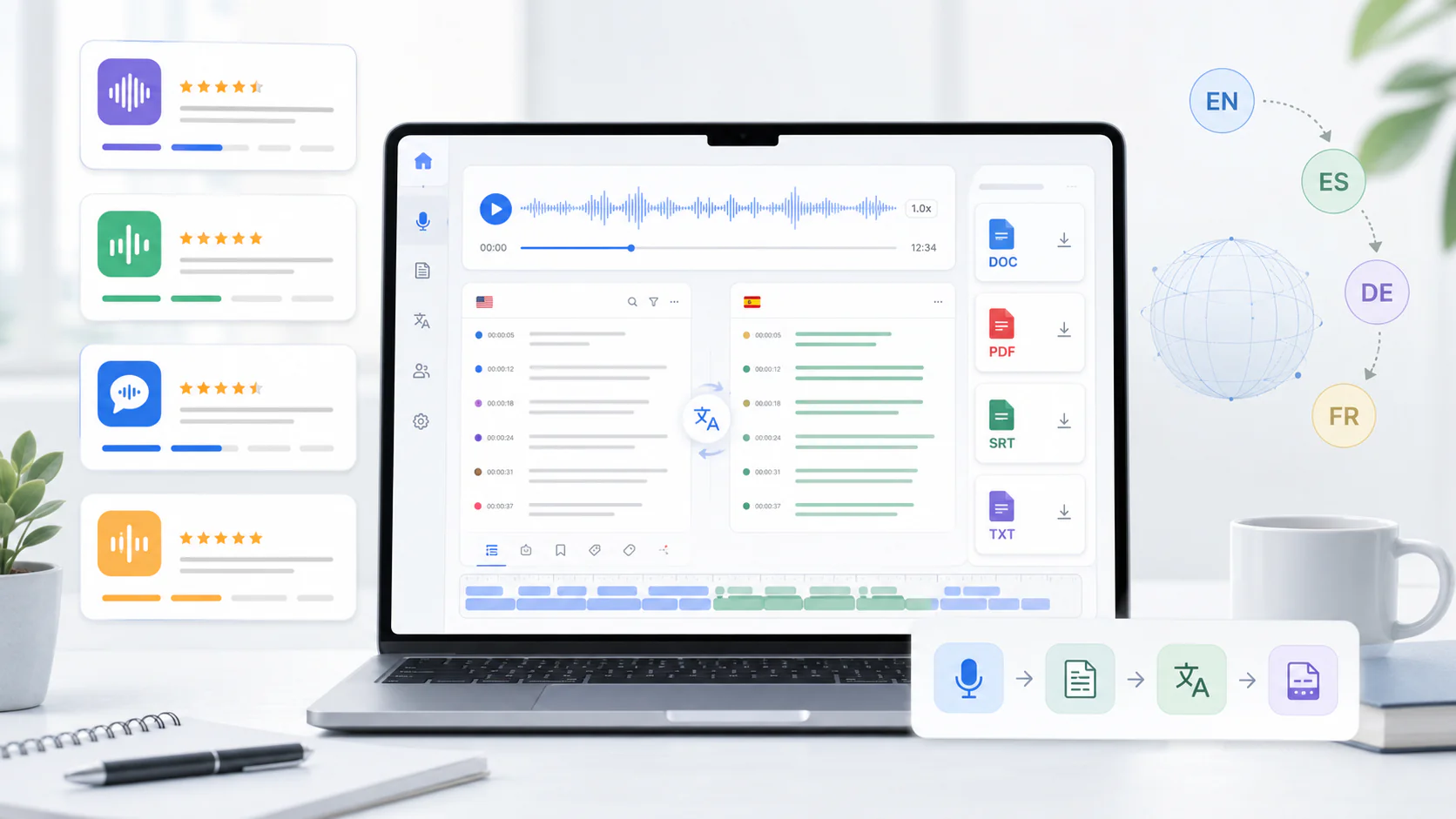
What to evaluate in an audio translation tool
The criteria that decide whether a tool works for you are mostly the same across vendors, so compare on capabilities rather than marketing. The table below lists what to check; only the TranscribeThis column is filled with verified facts — for every other product, open the vendor's current page, because features and limits change.
| Criterion | What to check | TranscribeThis |
|---|---|---|
| Source transcript quality | How accurate is the speech-to-text before any translation? | AI draft you review against the audio; up to ~99% on clear speech, less on noisy/accented audio |
| Target languages | How many languages, and are the ones you need covered? | Transcript translation into 30+ languages |
| Speaker labels | Are turns separated by speaker in the output? | Diarization on Standard/Premium; not on free tier |
| Timestamps | Word- or segment-level timing to jump back to the audio? | Word-level for uploads/recordings; segment-level for YouTube |
| Subtitle export | Can you export caption files (SRT/VTT)? | SRT and VTT export (full export paid; free = preview) — reviewable drafts, not certified subtitles |
| Review workflow | Can you correct the transcript before/after translating? | Editable transcript; click a word to hear the audio, then export |
| Limits | File size, duration, uploads per day on your plan | Free: first 5 min, ≤50 MB. Pro: up to 2 GB / 5 h. Business: up to 5 GB / 8 h |
| Pricing model | Free preview vs capped minutes vs paid plan; per-minute or flat? | Free preview + paid plans; confirm current pricing on the pricing page |
| Privacy / retention | How long is audio kept, and is it used to train models? | TLS in transit, configurable retention, no-training terms with processing partners |
Source transcript quality: the hidden failure
The single most common reason a translation is wrong is that the transcript was wrong first. Speech recognition is strongest on clear, single-speaker conversational audio and weakest on the things a model cannot infer from context — proper nouns, product and place names, numbers, dates, and specialist jargon. Those are exactly the words you most need to be right.
When a mis-heard word is passed to a translation engine, it is translated confidently and fluently, so nothing looks broken. A wrong figure in a financial call, or a mis-spelled name in an interview, survives translation intact and reads perfectly. Before you trust any translation, read (or spot-check) the source transcript in the original language and correct the names and numbers.
Illustrative example. If the recognizer hears "fifteen" as "fifty", the translation into Spanish will say "cincuenta" with total confidence. No translation quality metric will catch it — only checking the source transcript against the audio will.
Target-language accuracy: get a native check
You cannot judge a translation into a language you do not read, and neither can a fluency score. The only reliable check is a person who speaks the target language reading the output against the source. Do this on a short, representative passage before you commit to a tool for a whole project.
We do not publish per-language accuracy scores here because we have not tested every language pair on your audio, and no honest single number exists. Machine translation handles common, high-resource pairs (for example English↔Spanish, English↔French) far better than rare pairs or idiom-heavy speech. Treat any tool's translation as a strong draft that a bilingual reviewer should confirm — not a certified translation.
Speakers, timestamps, and subtitle files
For interviews, meetings, and video, three practical features decide how usable the output is: who said what, when they said it, and whether you can export captions.
- Speaker labels (diarization): separates turns so a translated interview stays readable. In TranscribeThis this is available on Standard and Premium, not the free tier.
- Timestamps: word-level timing lets you click a word and hear the original audio to verify a translation; segment-level timing (as with YouTube captions) is coarser but still lets you locate a passage.
- Subtitle export: SRT and VTT let you take translated captions into a video editor. These are reviewable caption drafts, not finished, styled, or accessibility-certified subtitles — always review timing and line length before publishing.
Long files and mixed languages
Two situations trip up audio translation more than any other: very long recordings and recordings that switch languages mid-sentence. Check both before you rely on a tool.
For long files, confirm the per-file duration and size limits on your plan — many free tiers cap at a few minutes or a small file size. TranscribeThis transcribes the first 5 minutes on the free tier, and handles up to 5 hours (Pro) or 8 hours (Business) per file on paid plans, so test a short clip first, then upload the full recording once you have confirmed quality.
For mixed-language audio (code-switching), recognition and translation both get harder: the recognizer may guess the wrong language for a passage, and the translator may leave chunks untranslated or translate them into the wrong target. If your recordings mix languages, test exactly that kind of clip rather than a clean single-language sample.
Privacy and data retention
Audio you translate often contains private conversations, so treat privacy as a first-class criterion. Check three things for any tool: whether audio is encrypted in transit, how long files and transcripts are retained, and whether your content can be used to train the vendor's models.
For TranscribeThis: files are encrypted in transit (TLS), retention is configurable (guest uploads are removed automatically unless saved to an account), you can delete files yourself, and processing partners operate under no-training terms. At-rest encryption depends on the storage provider, so do not assume a blanket guarantee — confirm the current terms for anything sensitive.
How to test: a methodology you can apply
The fastest way to choose is to run the same real recording through each candidate and compare on your own audio, not on a vendor demo. Use one representative file — ideally with the accents, background noise, and languages you actually deal with.
- Pick one real 3–5 minute clip that reflects your hardest case (accents, crosstalk, jargon, or mixed languages).
- Run it through each tool and first read the source transcript in the original language — count the errors in names, numbers, and terms.
- Then translate, and have a native speaker of the target language read the output against the source.
- Check speaker labels, timestamps, and subtitle export if you need them.
- Note the plan limits (duration, file size, uploads) and confirm current pricing on each vendor's page.
- Only then commit to a tool for the full project.
Frequently Asked Questions
What is AI audio translation?
AI audio translation is a two-stage process: a tool transcribes the speech in a recording, then translates that transcript into another language. The final translation is only as accurate as the transcript beneath it, so check the source transcript first.
What is the best AI audio translator?
There is no single best tool for every case — it depends on your languages, audio quality, and whether you need speaker labels, timestamps, or subtitle files. Test one real recording in each candidate and have a native speaker check the target-language output.
How do I translate audio files accurately?
Transcribe first, correct the names, numbers, and terms in the source transcript against the audio, then translate. Fixing the transcript before translating removes the errors that would otherwise be translated fluently and invisibly.
Can TranscribeThis translate audio into other languages?
Yes. It transcribes your recording, then translates that transcript into 30+ languages. It is post-recording and processes the file after upload — it is not a live interpreter.
How many languages can it translate into?
Transcript translation is available in 30+ languages. Machine translation is stronger on common pairs like English–Spanish or English–French than on rare pairs or idiom-heavy speech, so have a bilingual reviewer confirm the output.
Is AI speech translation software accurate enough for legal or medical use?
Treat AI translation as a draft, not a certified translation. Legal, medical, and official documents that need a certified or sworn translation require a qualified human translator, which is a different service from any AI tool.
Why does a fluent translation sometimes get the facts wrong?
Because the error started in the transcript. If speech recognition mis-hears a name or number, the translation engine translates the wrong word just as fluently. The mistake only shows up when you check the source transcript against the audio.
Can I get translated subtitles from audio?
You can export SRT and VTT caption files (full export is a paid feature; the free tier gives a preview). These are reviewable caption drafts — check timing and line length before publishing them as finished subtitles.
Related resources
Reviewed by the TranscribeThis product team · Last updated: July 2026