


At a glance
| Input | Upload a file, record in your browser (account), or paste a YouTube link |
|---|---|
| Output | Editable transcript with word-level timestamps; speaker labels on Standard/Premium |
| Free (no account) | First 5 minutes transcribed, files up to 50 MB, preview export |
| Free account | 3 transcriptions/day, first 5 minutes each, 150 MB storage |
| Paid limits | Up to 2 GB / 5 hours (Standard), 5 GB / 8 hours (Premium) per file |
| Formats in | MP3, WAV, M4A, AAC, FLAC, OGG, Opus, WebM, MP4, MOV, MKV and more |
| Formats out | TXT, DOCX, PDF, SRT, VTT |
| Processing | Post-recording: the file is processed after upload (not live/real-time) |
The short version
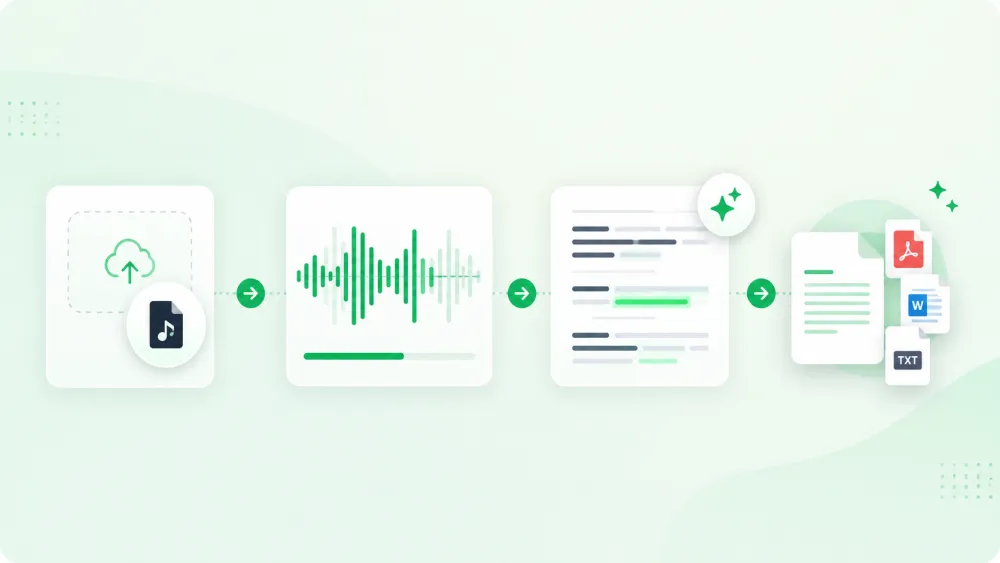
Transcription with an AI tool is a five-part workflow: pick the cleanest source file, upload or record it, choose language and speaker options, review the draft against the audio, and export the format you need. The draft appears in a few moments, but the transcript is not "done" until you have checked the parts machines get wrong — names, numbers, homophones, and overlapping speech.
Step 1 — Choose the best source file
Accuracy is decided before you upload. Start from the original recording, not a re-compressed copy shared over chat, and prefer a file where the speakers are close to the microphone with little background noise.
- Use the original file where possible — every re-export loses detail.
- Mono or stereo both work; TranscribeThis decodes everything to 16 kHz mono before recognition, so "lossless" formats do not add accuracy on their own.
- For interviews, a per-speaker channel or a close mic helps speaker separation more than a higher bitrate.
Step 2 — Upload or record
Drop a file into the uploader at the top of this page. Without an account you can transcribe the first 5 minutes of a file up to 50 MB — enough to check quality on your own audio. Recording directly in the browser is available once you sign in.
You can also paste a YouTube link (it uses the video's existing captions where available, so YouTube transcripts are segment-level rather than word-level). Google Drive and Dropbox links are available to signed-in users.
Step 3 — Set language and speaker options
The recognizer auto-detects the spoken language. If your recording has more than one voice and you are on Standard or Premium, enable speaker identification (diarization) so the transcript is split by speaker; you can rename "Speaker 1" to real names afterwards. Diarization is not available on the free tier.
Step 4 — Review against the recording
This is the step people skip and regret. Every line carries a word-level timestamp linked to the audio, so you can click a word to hear exactly what was said. Play back the passages that matter and confirm the wording rather than trusting the draft.
- Scan for [inaudible] or low-confidence passages first.
- Listen to any sentence you plan to quote or act on.
- Fix speaker turns where two people talk over each other — overlap is the hardest case for any model.
Step 5 — Correct names, numbers, and terms
AI transcription is strongest on ordinary conversational speech and weakest on things it cannot infer from context: proper nouns, product names, figures, dates, and domain jargon. Correct these deliberately — a mis-heard number or name is the error most likely to cause real damage downstream.
Step 6 — Export the right format
Export once the transcript reads correctly. Choose the format by where the text is going:
| Format | Use it for |
|---|---|
| TXT | Plain text for notes, search, or pasting elsewhere |
| DOCX | An editable document for reports or sharing |
| A fixed, shareable copy | |
| SRT / VTT | Timed captions to review and load into a video editor |
Automatic vs manual transcription
Manual transcription — typing while you listen — is slow but gives you full control. AI transcription inverts that: you get a complete draft in minutes and spend your time reviewing instead of typing. For most meetings, interviews, lectures, and voice notes, an AI draft plus a focused review is faster and more consistent. When a transcript must be certified or verbatim for a court or medical record, a professional human service is the right tool.
Accuracy, and what affects it
No transcription tool is accurate as a single fixed percentage — it depends on the recording. Clear, single-speaker audio transcribes very well; heavy accents, crosstalk, music, and low-quality phone recordings need more review. Treat any "99% accurate" headline (ours or a competitor's) as a best case on clean audio, not a guarantee for your file.
Privacy and consent
Files are encrypted in transit (TLS). You control how long transcripts are kept with a configurable retention setting, and you can delete a file at any time; guest uploads are removed automatically unless saved to an account. Recording other people may require their consent depending on where you are — check the rules for your jurisdiction before recording a call or meeting.
Frequently Asked Questions
How do I transcribe an audio file for free?
Upload it to the tool at the top of this page. Without an account you can transcribe the first 5 minutes of a file up to 50 MB and preview the result. A free account gives 3 transcriptions a day.
What audio formats are supported?
MP3, WAV, M4A, AAC, FLAC, OGG, Opus, WebM, WMA, AMR and more, plus the audio track of video files like MP4, MOV, MKV, and AVI.
Does it transcribe in real time as I speak?
No. TranscribeThis is post-recording: you record or upload a file and it is processed afterwards. It does not stream a live transcript while you speak.
Can it tell speakers apart?
Yes, on the Standard and Premium plans. Speaker identification labels each turn and you can rename speakers. The free tier does not include diarization.
How long can a file be?
The free tier transcribes the first 5 minutes of each file. Paid plans handle up to 5 hours (Standard) or 8 hours (Premium) per file.
Are the timestamps accurate to the word?
For uploaded and recorded audio, yes — each word carries its own timestamp linked to the recording. YouTube transcripts are segment-level because they come from the video's captions.
Can I get a Word or PDF file?
Yes. You can export TXT, DOCX, PDF, SRT, and VTT once the transcript is ready (full export is a paid feature).
Is my audio kept private?
Files are encrypted in transit, retention is configurable, and you can delete files yourself. Processing partners operate under no-training terms, so your content is not used to train AI models.
Related resources
Reviewed by the TranscribeThis product team · Last updated: July 2026