


Customer success documentation, in short
What Is Customer Success Transcription?
Customer success transcription converts recorded customer meetings into searchable text. AI meeting summaries help Customer Success Managers document customer goals, open issues, risks, agreed actions, and follow-up tasks without taking notes during the conversation.
The practical difference for a CS team is continuity. An onboarding call, a QBR six months later, and the renewal conversation after that stop being three separate memories held by whoever attended, and become one searchable record any colleague can pick up.
Customer Success Transcription at a Glance
| Onboarding and kickoff meetings | Supported — upload the recording |
|---|---|
| QBRs and executive reviews | Supported — long sessions with several stakeholders |
| Renewal and escalation calls | Supported — commitments preserved in the customer's words |
| Customer interviews | Supported — research and feedback sessions |
| Speaker identification | Automatic speaker labels for multi-person meetings |
| AI meeting notes | Goals, issues, risks, requests, and agreed next steps |
| Transcript search | Search the full meeting and jump to the moment |
| CRM workflow | Copy or export notes into your CRM or CS platform |
| Languages | Transcription and translation in 90+ languages |
| Export formats | PDF, DOCX, TXT, SRT, VTT |
| Automatic meeting recording | Standard and Premium: bot joins Zoom, Meet, or Teams; otherwise record and upload |
| Health scoring and CRM sync | Not currently available |
Quick Answers
| Can AI summarize a QBR? | Yes |
|---|---|
| Can it identify who is speaking? | Yes |
| Can I upload Zoom, Teams, or Google Meet recordings? | Yes |
| Can I transcribe onboarding and implementation sessions? | Yes |
| Can I export customer meeting notes? | Yes |
| Can I translate a customer meeting? | Yes |
| Does it join and record meetings automatically? | Paid plans — when you send the bot |
| Does it calculate customer health scores? | No |
What the Output Looks Like
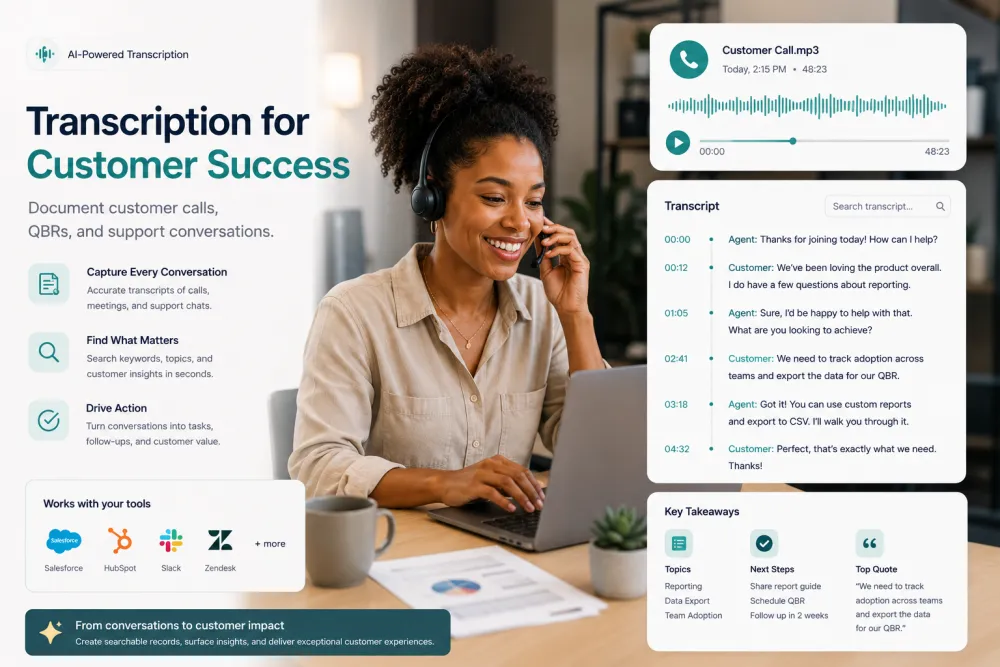
A short excerpt from an adoption check-in, and the kind of notes the AI produces from the full meeting.
Illustrative example. Note structure and wording vary with the meeting — the AI summarizes what was actually discussed rather than filling a fixed template.
What You Can Capture From a Customer Meeting
Depending on what was discussed, the transcript and AI notes can help your team identify:
Built for Meetings That Decide Whether a Customer Stays
Speaker-Labeled Customer Meetings
Know exactly what the customer, the Customer Success Manager, the technical specialist, and each stakeholder said. Customer meetings often run with five people on the call and two of them dialing in — the transcript separates them into something you can actually read afterward.


AI Customer Success Summaries
Review customer goals, blockers, renewal risks, feature requests, and agreed action items without replaying the meeting. The full transcript stays underneath, so any line in the notes can be traced back to the moment it was said.
CRM-Ready Customer Notes and Recaps
Copy meeting notes into Salesforce, HubSpot, Gainsight, Planhat, Vitally, Notion, or your own account record. Export the transcript as PDF or DOCX when a customer asks for a written recap of what was agreed.

AI Meeting Notes Built for the Customer Follow-Up
A customer success summary condenses a long meeting into what the CSM needs next: what the customer is trying to achieve, what is blocking them, what was promised on both sides, and what happens before the next conversation.
TranscribeThis produces both the full searchable transcript and a concise summary, so the recap email goes out the same day instead of waiting for someone to re-listen to an hour of audio.
Customer goals and success criteria
What the customer is trying to achieve with the product, in their own words.
Blockers and open issues
Adoption gaps, integration problems, and anything waiting on either side.
Risks worth flagging
Signals the customer raised themselves — budget scrutiny, a departing champion, an upcoming review.
Commitments and next steps
What you promised, what they agreed to, who owns it, and by when.
From Customer Meeting to Documented Follow-Up
Works with recordings from Zoom, Teams, Google Meet, Webex, or a phone.
Drop in the file — MP4 from Zoom or Teams, M4A from a phone, MP3 from a conferencing export. Over 30 audio and video formats are supported.
You get a speaker-labeled transcript with clickable timestamps, plus notes covering goals, issues, risks, and agreed actions.
Copy the notes into your CRM or CS platform, send the customer a recap, and keep the transcript on the account for whoever handles it next.
Transcribe Customer Meetings From the Tools You Already Use
Zoom meetings
Upload an MP4, M4A, or audio-only recording exported from Zoom and receive a searchable transcript with speaker labels and timestamps.
Microsoft Teams
Convert recorded Teams meetings into notes that the CS team, support, and the account owner can search.
Google Meet
Upload a Meet recording to create a full transcript, meeting summary, and follow-up notes.
Webex and other conferencing tools
Any recording that exports to a standard audio or video format can be uploaded as-is.
Phone and dialer recordings
Upload MP3, WAV, M4A, or another supported format from a phone call or call recording system.
Screen recordings and Loom
Walkthroughs and recorded training sessions transcribe the same way as live meetings.
TranscribeThis processes recordings you upload; on Standard and Premium, its bot can also join and record Zoom, Google Meet, or Microsoft Teams meetings (it may wait to be admitted). For other platforms, mobile, or phone calls, record with the tool you already use, then upload the file.
The Customer Success Documentation Workflow
Each step is something a CS team already does — the transcript is what makes the chain survive a handover.
- Customer meeting
- Recording
- Transcript
- AI notes
- Goals and risks
- Action items
- CRM record
- Customer follow-up
What Gets Lost Between One Customer Meeting and the Next
CS runs on continuity, and continuity is exactly what hand-typed notes fail to carry.
A CSM taking notes is not fully in the conversation. The follow-up question that would have surfaced the real blocker goes unasked because they were mid-sentence in a notes field.
When the CSM who ran onboarding leaves or changes accounts, the reasoning behind every configuration decision leaves with them.
Customers rarely announce churn. They mention a budget review, a departing sponsor, a team that never adopted — small lines that a transcript keeps and memory drops.
What You Get Compared With Manual Meeting Notes
| Manual notes | TranscribeThis |
|---|---|
| Written while the CSM is trying to listen | Generated from the complete recording |
| Summarize what felt important at the time | Preserve the customer's wording in a reviewable transcript |
| Rarely capture the technical detail | Keep integration and configuration detail verbatim |
| Leave with the person who wrote them | Stay on the account for whoever handles it next |
| Make handovers a briefing call | Make handovers a document the next CSM can read |
| Need rewriting before they reach the CRM | AI notes are ready to copy into the CRM |
Customer Meetings Teams Transcribe Most
Every meeting where what was agreed matters more than what was remembered.
Capture configuration decisions, success criteria, and who owns each part of the rollout.
Record scope, timelines, and the stakeholders introduced on day one, so nothing is re-litigated in month three.
A QBR is an hour of context. The transcript and notes make it reviewable by people who could not attend.
Keep the customer's own words on value, budget, and timing ahead of the renewal decision.
Document adoption gaps and the actions agreed to close them, with a record to check against next quarter.
When a relationship is under strain, an accurate record of what was promised protects both sides.
Technical detail — integrations, permissions, data mapping — preserved instead of half-remembered.
Feature requests captured verbatim, ready to hand to product with the customer's reasoning attached.
Sponsor conversations documented for the account team and for whoever inherits the relationship.
Customer Success Meetings vs. Support Conversations
Customer success meetings focus on adoption, business outcomes, renewals, and the long-term relationship. Support conversations focus on solving an immediate technical problem.
The documentation needs differ too: a support ticket needs reproduction steps and a resolution, while a customer success meeting needs goals, risks, commitments, and the thread that connects this quarter to the last one.
TranscribeThis works for both, but this workflow is built for Customer Success teams — and it is transcription and summarization, not a customer health platform.
Customer Success Meeting Notes Template
The structure our summaries follow, and a usable template whether or not you transcribe the meeting with us.
Customer Meetings Are Confidential
Customer meetings carry commercial detail — pricing, roadmaps, internal problems. How the files are handled matters as much as the transcript.
Uploads travel over TLS and are stored encrypted.
Guest uploads that aren't saved to an account are deleted automatically; files in your account stay until you delete them or your retention setting removes them.
Your customer meetings are not training data.
Transcripts stay in your account until you export or send them.
Customer Success Documentation Explained
What are customer success meeting notes?
Customer success meeting notes are a structured record of a customer conversation covering goals, open issues, risks, commitments, and next steps. AI meeting notes reduce the time a Customer Success Manager spends writing them up after the call.
What is a QBR transcript?
A QBR transcript is the written record of a quarterly business review, timestamped so any decision or concern can be traced back to the moment it was raised. It lets colleagues who did not attend review the meeting without rewatching it.
What is an onboarding call transcript?
An onboarding call transcript preserves configuration decisions, success criteria, and ownership agreed at the start of a customer relationship, so later teams can see why the account was set up the way it was.
What is speaker diarization?
Speaker diarization automatically separates the participants in a meeting and labels who said what. In customer meetings it is what distinguishes a customer commitment from a vendor one.
Supported Formats, Languages, and Limits
Customer Meeting Transcription: The Numbers
| Up to 99% | Accuracy on clear, well-recorded meetings |
|---|---|
| 90+ | Languages transcribed and translated |
| ~2 min | Typical processing for a one-hour QBR |
| Until you delete | File retention in your account |
Accuracy and processing time vary with recording quality, background noise, speaker overlap, accents, language, and meeting length.
What Affects Transcription Quality
Accuracy is not a fixed number. These are the conditions that move it, in rough order of impact:
Customer Success Glossary
- Customer Success Manager (CSM)
- The person responsible for a customer's adoption, outcomes, and renewal.
- Onboarding
- The period between signature and first value, where configuration and training happen.
- Kickoff meeting
- The first working session after signature, where scope, timeline, and owners are set.
- QBR
- Quarterly business review — a scheduled meeting on progress against the customer's goals.
- Executive business review
- A QBR held with the customer's leadership, usually focused on outcomes and spend.
- Adoption
- How much of the product the customer's teams actually use, and how regularly.
- Customer health
- An assessment of how likely a customer is to stay, based on usage, engagement, and sentiment.
- Renewal risk
- Anything raised that could stop the contract renewing — budget, sponsors, unresolved issues.
- Churn
- A customer choosing not to renew.
- Expansion
- Growth within an existing account — more seats, teams, or products.
- Escalation
- An issue raised beyond normal support, usually with a relationship impact.
- Implementation
- The technical work of getting the product running in the customer's environment.
- Stakeholder
- Anyone on the customer side whose view affects the relationship — sponsor, admin, end user, finance.
- Action item
- A specific task agreed in the meeting, with an owner and a date.
- Handoff
- Passing an account between teams — sales to CS, or one CSM to another — with the context intact.
Who Uses Customer Success Transcription?
Try It With a Real Customer Meeting
Upload a recording and review the transcript, speaker labels, timestamps, and AI notes before choosing a paid plan. No signup for files up to 50 MB.
Related Pages
Frequently Asked Questions
How do I transcribe a customer meeting?
Upload the recording — an MP4 from Zoom or Teams, an M4A from a phone, or an audio export from your conferencing tool — and the AI returns a speaker-labeled transcript with clickable timestamps and a summary in minutes. Nothing to install; it runs in the browser.
Can AI summarize a QBR?
Yes. A quarterly business review is exactly the case where a summary saves the most time: an hour of discussion condenses into goals, issues, risks, and agreed actions, with the full transcript underneath for detail.
Does TranscribeThis automatically join customer meetings?
Not on its own — only when you send it. On Standard and Premium, the TranscribeThis bot can join and record Zoom, Google Meet, or Microsoft Teams meetings — it joins as a participant and may wait to be admitted, and the transcript arrives after the call, not live. For other platforms, mobile, or phone calls, record with your own tool and upload the file.
Can I transcribe onboarding and implementation sessions?
Yes. Onboarding and implementation calls carry configuration decisions and ownership agreements that are painful to reconstruct later, which is why teams transcribe them most often.
Does it identify who is speaking?
Yes. Speaker labels separate the customer, the Customer Success Manager, and other stakeholders, which is what makes a multi-person meeting readable afterward.
Can I export customer meeting notes?
Yes — download TXT or JSON on the free plan, or PDF, DOCX and SRT/VTT subtitle drafts on paid plans, or copy the notes and paste them into Salesforce, HubSpot, Gainsight, Planhat, Vitally, Notion, or another tool.
Does it sync notes into my CRM or CS platform?
There is no direct sync today. Notes and transcripts are built to be copied or exported: paste the summary into any field, or attach the exported document to the account record.
Can I search a transcript?
Yes. The full meeting is searchable, and clicking a line jumps the audio to that moment — useful when a customer refers back to something agreed two quarters ago.
Can I translate a customer meeting?
Yes — 90+ languages are detected automatically, and supported transcripts can be translated from the editor in your account, so regional meetings can be reviewed by leaders who do not speak the language.
How accurate is the transcription?
Accuracy reaches up to 99% on clear, well-recorded meetings. Conference-room microphones, overlapping speech, and strong accents reduce it. Recording quality matters more than file format.
Can I use this for renewal calls?
Yes. Renewal conversations are worth transcribing precisely because the customer's own words on value, budget, and timing are what the internal discussion afterward depends on.
Can I create implementation notes from a technical call?
Yes. Integration details, permissions, and data-mapping decisions are preserved verbatim, which is what makes a later handover possible without a briefing call.
Does it calculate customer health scores?
No. TranscribeThis focuses on accurate transcription, speaker labels, searchable timestamps, summaries, and export — not health scoring, usage analytics, or renewal forecasting.
How are customer files stored?
Files are encrypted in transit and at rest, and never used to train AI models. Guest uploads that aren't saved to an account are deleted automatically; files in your account stay until you delete them or your retention setting removes them.
Details on encryption, retention, and how we handle your files: Privacy Policy · Terms of Service
Reviewed by the TranscribeThis Speech Recognition Team.
Last updated: July 2026