


What Is Legal Interview Transcription?
Legal interview transcription converts permitted recordings of client intakes, witness interviews, expert calls, and case meetings into searchable text with speaker labels and word-level timestamps. It is used by lawyers, paralegals, investigators, and compliance staff. Audio goes in, an automated system produces a working transcript, and every line stays linked to the moment it was spoken so a reviewer can check the wording against the recording.
The output is a working draft for internal review. Its value is that a passage can be located, played back, and checked by a person — not that it arrives finished. Nothing produced automatically should reach a file, a client, or a tribunal without that review.
Legal Working Transcripts at a Glance
| Inputs | Client intakes, witness and expert interviews, internal case meetings, compliance and investigation interviews |
|---|---|
| Speakers | Interviewer, interviewee, counsel, and other participants labeled automatically, for you to verify |
| Search | Keyword search inside a working transcript and across the recordings in your account |
| Verification | Word-level timestamps; click a line to play that moment in the recording |
| Annotation | Colour highlights with a review note attached to the passage |
| AI output | Summary, key quotes, action points, decisions, risks, deadlines — none of it legal advice |
| Status | An automated working transcript, not a certified transcript and not a court-reporting service |
| Sharing | Copy the text into any app, downloads, revocable read-only links |
| Account | Transcription works without an account; AI passes and annotation need a free account |
Find the Passage Without Scrubbing the Audio
Search a working transcript for the term that matters in the matter — the date, the product name, the phrase a witness used — and click the line to hear it said. Across your account, one search shows which recordings mention a term at all, which is usually the first question when an interview set grows past a handful of sessions.


Highlight Passages and Attach Review Notes
Select a passage, give it a colour, and attach a note — a document to pull, a date to confirm, a point for the supervising lawyer. The note stays with the recording, so the reason a passage was flagged survives past the person who flagged it.
AI Passes Over a Long Interview
A fixed catalogue of one-click passes gives a reviewer a way into a long session: a summary, plus key quotes, action points, decisions, risks, and deadlines drawn from the same working transcript. Each extracted line traces back to its timestamp, so a reviewer can check it rather than take it on trust.

What a Reviewed Passage Looks Like
An illustrative witness interview: the working-transcript excerpt, the note a reviewer attached, and the AI pass generated from the full session.
Illustrative example, not a real matter or a real person. The AI summarizes what was said rather than filling a fixed template, and the review note is written by the reviewer — the product does not decide that a passage matters.
What the Working Transcript and Passes Give You
Depending on the session, the record and the AI passes can help a reviewer locate:
Legal Recording Types
Anything recorded with speech in it transcribes the same way. These are the sessions legal teams bring most often, and each carries its own permission question.
The first account of a matter, usually the version everything later is measured against. A working transcript keeps the original phrasing available after the file has been reframed several times.
Sessions where the exact words matter and a paraphrase written from memory is a loss. Timestamps let a reviewer replay a disputed line rather than argue about it.
Technical conversations dense with terminology, where verifying a passage against the audio is worth the click and the terms are exactly what automatic transcription gets wrong.
Strategy and review discussions where decisions and next steps are agreed out loud and rarely written down in the same detail afterwards.
Regulatory and policy conversations that need a consistent record, and that a second reviewer may read long after the interviewer has moved on.
Internal investigation sessions where sequence and attribution matter, and where notes taken while asking questions are usually thin.
Where recording is permitted and you already hold a lawful copy, a working transcript makes a long hearing searchable for internal use. It is not a substitute for the official record.
Where permitted, deposition audio can be turned into a searchable working draft for internal review only. The certified transcript remains the operative document; this does not replace it.
Where Legal Recordings Come From
Zoom, Teams, and Google Meet
Upload the MP4 or audio-only file your conferencing tool exports. Remote interviews recorded this way transcribe best, because each speaker sits close to their own microphone.
Handheld and conference recorders
WAV and MP3 from a dedicated recorder are the highest-quality input for in-person interviews, and worth the setup for sessions you expect to revisit.
Phone recordings
M4A from a phone recorder works. Placement matters more than the device — a phone on the table between two people will outperform one left in a bag.
Video files and room recordings
Video transcribes the same as audio, and the working transcript stays linked to the video timeline so a passage can be played back in context.
TranscribeThis processes recordings you upload or record in the browser. On paid plans its bot joins a Zoom, Meet, or Teams meeting only when you send it there, and it does not transcribe live. Whether a given session may be recorded at all is your call to make, not ours.
The Legal Review Workflow
Each step is something a legal team already does. The working transcript is what lets a passage be found and checked instead of remembered.
- Permitted recording
- Working transcript
- Verify speakers
- Search
- Highlight
- Review note
- AI passes
- Human review, then export
Notes and Manual Typing vs. a Source-Linked Working Transcript
| Notes and manual transcription | TranscribeThis |
|---|---|
| Hours of typing per interview, or a summary written from memory | A full working transcript in minutes, reviewed rather than typed |
| A quote someone believes is accurate | A reviewable quote linked to its moment in the recording |
| Notes only the person who wrote them can read | A record a colleague or supervising lawyer can read |
| Finding a passage means scrubbing the audio | Finding a passage means searching for the word |
| Cross-interview questions answered from recollection | Cross-interview questions answered by searching the recordings |
AI Transcript vs. Certified Legal Transcript
An AI transcript is an automated working draft. It is produced by software, it contains errors, and it carries no attestation of any kind. Treat it as a searchable record of a recording you already hold — useful for locating and reviewing what was said, and nothing more than that.
A certified transcript is a different thing entirely: prepared or certified under applicable rules by an authorised professional, who takes responsibility for its accuracy. Court reporting requirements, evidentiary standards, and rules on admissibility vary by jurisdiction and by forum, and they are what determine whether a transcript can be used at all.
TranscribeThis does not replace a court reporter and does not perform legal review. It produces no certification, no attestation, and no verbatim guarantee. If your use requires a certified transcript, engage a qualified court reporter or transcription professional — this product is not an alternative to that.
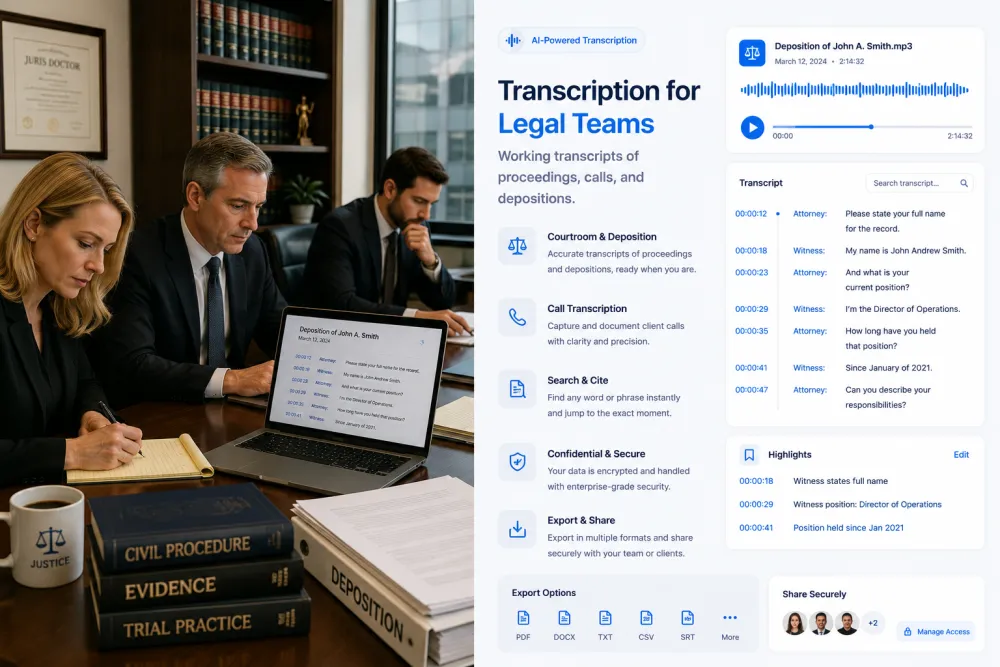
Accuracy and Limitations
Accuracy is not a fixed number, and the categories that fail most often are the ones a legal team actually needs. These are the conditions that move it and the checks worth doing every time:
Confidentiality, Privilege, and Client Obligations
Legal recordings are among the most sensitive material anyone uploads anywhere. This section is guidance, not legal advice, and it is the section to read before the first upload rather than after it.
Processing a recording through any third-party service — this one included — does not by itself preserve attorney-client privilege or work-product protection, and we do not claim that it does. Whether privilege is maintained or waived turns on your jurisdiction, the circumstances, and the terms you are working under. Decide that before uploading, not after.
Client engagement letters, outside counsel guidelines, protective orders, and confidentiality undertakings frequently restrict or prohibit third-party processing, name approved vendors, or require prior consent. Many organisations also have internal policy on this. Review what applies to the matter before any file leaves your systems.
Professional-conduct and ethics obligations, local court rules, consent-to-record law, data-residency requirements, retention schedules, and the subprocessors a vendor uses are all your assessment to make. We do not make it for you, and no answer on this page substitutes for your own review.
Files travel over TLS and are stored encrypted. Guest uploads that are not saved to an account are deleted automatically; in an account, retention is under your control. Your recordings are never used to train AI models. Platform-level security and privacy measures are not the same thing as a certified transcript, and no certification held by a vendor preserves privilege on your behalf — that assessment is the firm’s to make.
Formats, Languages, and Limits
Try It With a Permitted Recording
Upload a session you are permitted to process and review the working transcript, speaker labels, and word-level timestamps before choosing a plan. No signup for files up to 50 MB.
Related Pages
Frequently Asked Questions
Is this a certified legal transcription service?
No. TranscribeThis is not a certified court-reporting or legal-transcription service, and it does not issue certifications, attestations, or affidavits of accuracy. It produces an automated working transcript from a recording you upload. Where your matter requires a certified transcript, engage a qualified court reporter or transcription professional.
Can I use an AI transcript as evidence or in a court filing?
No — not as produced. Output is a working draft, and evidentiary standards, court-reporting requirements, and admissibility rules vary by jurisdiction and forum. Nothing generated here is prepared to meet them. If a transcript is going into the record, that is work for a qualified professional operating under the applicable rules.
Does it guarantee verbatim accuracy?
No. We do not offer a verbatim guarantee and no honest automatic transcription service does. Accuracy varies with recording quality, overlap, accent, and terminology, and the highest-risk categories are names, dates, figures, citations, and legal terms — which is to say, usually the parts you care about. Every consequential line needs checking against the audio.
Does using it preserve attorney-client privilege?
No, and we do not claim it does. Processing material through any third-party tool does not by itself preserve privilege or work-product protection. Whether privilege is maintained depends on your jurisdiction, your engagement terms, your client's requirements, and the circumstances. Assess that before uploading; this answer is guidance, not legal advice.
Is the AI summary a legal analysis?
No. The passes are a fixed catalogue — summary, key quotes, action points, decisions, risks, deadlines — generated from what was said in the recording. A "risk" line means a passage looked worth a person's attention, not that a legal risk exists. No assessment of credibility, liability, merits, or strategy is performed, and none should be inferred.
Does it integrate with case-management systems?
No. There is no integration with Clio, Relativity, iManage, NetDocuments, or any other case-management, e-discovery, or document-management platform, and no other third-party integrations either. Everything moves by copy or export: TXT and JSON free, PDF, DOCX, SRT, and VTT on paid plans.
Can it transcribe interviews and case meetings at all, then?
Yes. Upload a recording you are permitted to process and you get a speaker-labeled working transcript with word-level timestamps, usually in a couple of minutes per hour of audio. Transcription works without an account for files up to 50 MB; AI passes and annotation need a free account.
Can it tell the interviewer and interviewee apart?
Yes, automatically, and the labels are worth verifying before you rely on them. Speaker separation degrades when people talk over one another, when several speakers share one microphone, or when voices are similar — all of which are common in multi-party case meetings.
Can I verify a quoted line against the recording?
Yes, and for legal work you should, every time. Word-level timestamps mean any line plays back at the moment it was spoken, so a passage heading into a memo or an interview note can be checked rather than trusted. This is the single most useful thing on the page for a sceptical reader.
Can I search across all the recordings in a matter?
Yes, within the limits of what it is. Keyword search finds which recordings contain a term and where inside a working transcript it appears. It matches text, so it will not surface a synonym you did not search for, and it does not rank, cluster, or summarise across recordings.
Do I need consent to record the session?
That depends on your jurisdiction and the circumstances, and it is your determination to make before recording — not ours, and not one this page can answer. Consent-to-record law differs by country and by state, and recording rules for hearings and depositions differ again. Upload only recordings you are permitted to hold and to process.
How is the data handled while it is with you?
Files travel over TLS and are stored encrypted. Guest uploads that are not saved to an account are deleted automatically; in an account, retention is under your control; recordings are never used to train AI models. None of that makes an AI transcript a certified legal transcript or preserves privilege by itself. Review our subprocessors, data locations, and retention against your own obligations before uploading anything privileged or confidential.
Details on encryption, retention, and how we handle your files: Privacy Policy · Terms of Service
Reviewed by the TranscribeThis Speech Recognition Team.
Last updated: July 2026