


WAV transcription at a glance
| Input | A WAV file (uploaded or dropped here); MP3, M4A, FLAC and more also work |
|---|---|
| Output | Editable transcript with word-level timestamps; speaker labels on Standard/Premium |
| Free (no account) | First 5 minutes transcribed, files up to 50 MB, preview export |
| Paid limits | Up to 2 GB / 5 hours (Pro), 5 GB / 8 hours (Business) per file |
| Formats in | WAV, MP3, M4A, AAC, FLAC, OGG, Opus, WebM, WMA, AMR + video audio |
| Formats out | TXT, DOCX, PDF, SRT, VTT |
| Processing | Upload-first: the WAV is processed after upload (not live/real-time) |
What Is WAV to Text Transcription?
WAV to text transcription turns the spoken words inside a WAV audio file into editable, searchable text. You upload the file, an AI model produces a first draft in a few moments, and you review that draft against the recording using word-level timestamps before exporting it. The tool transcribes speech — it does not summarise, translate, or certify the result unless you ask.
WAV (Waveform Audio File Format) is a container, most often holding uncompressed PCM audio but sometimes compressed codecs. Because it is common on Windows, digital recorders, and audio-editing exports, WAV files tend to be large but clean. What the transcriber cares about is the underlying speech quality, not the .wav extension itself.
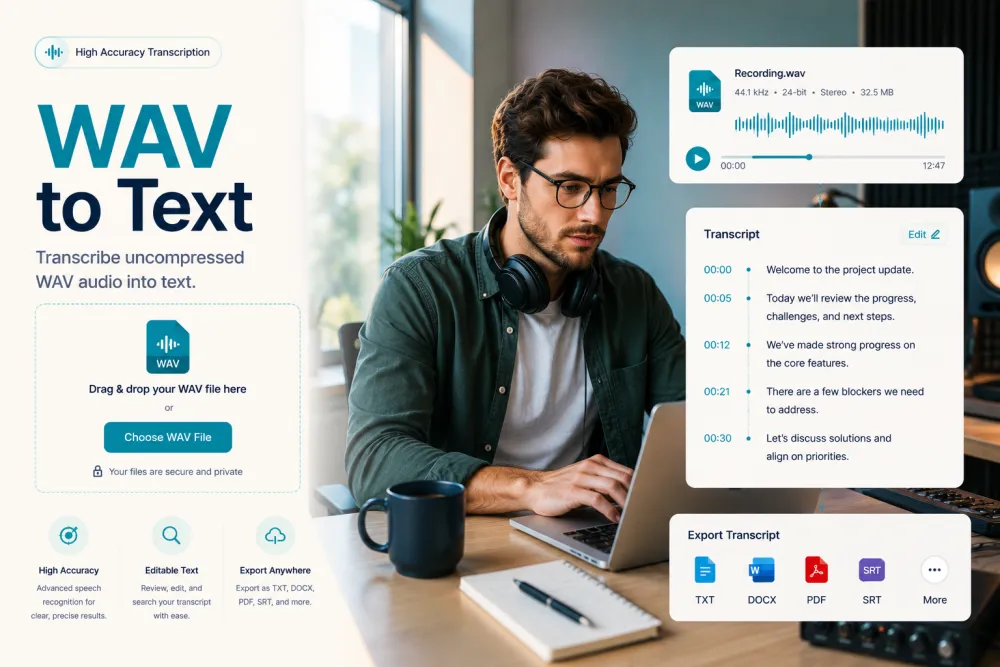
Upload and Transcribe a WAV File
To convert a WAV file to text, drop it into the uploader at the top of this page and wait for the draft. Without an account you can transcribe the first 5 minutes of a file up to 50 MB, which is enough to check quality on your own recording before committing to a plan.
- Drag your .wav file onto the uploader (or click to browse).
- The audio is decoded and an AI draft appears in a few moments.
- Play back the recording and review the text against the word-level timestamps.
- Correct names, numbers, and specialist terms the model may have misheard.
- Export the transcript as TXT, DOCX, PDF, SRT, or VTT.
Recording directly in the browser is available once you sign in; guests use the upload path. Signed-in users can also import from Google Drive and Dropbox links.
Does WAV Quality Improve Transcription?
Not on its own. A large uncompressed WAV does not beat a clean MP3 for transcription accuracy, because every file — WAV, MP3, M4A — is decoded to 16 kHz mono audio before recognition. Speech recognition operates well below CD quality, so the extra data in a "lossless" WAV is discarded before the model ever sees it.
What actually moves accuracy is the recording itself: clear speech, speakers close to the microphone, low background noise, and little crosstalk. A noisy 200 MB WAV will transcribe worse than a clean 5 MB MP3 of the same conversation. Treat WAV as a convenient, clean container — not a magic accuracy boost.
WAV vs MP3 vs M4A
For transcription, WAV, MP3, and M4A all work and all decode to the same 16 kHz mono audio — they differ mainly in file size and where they come from, not in resulting accuracy.
| Format | Typical source | File size | Transcription result |
|---|---|---|---|
| WAV | Windows recorders, audio editors, PCM exports | Large (uncompressed) | Clean; no accuracy gain over a good MP3 |
| MP3 | Podcasts, general recorders, shared files | Small (lossy) | Excellent when bitrate is reasonable |
| M4A / AAC | iPhone Voice Memos, Apple devices | Small (lossy) | Excellent; same pipeline as the others |
The practical takeaway: pick whatever format your device already produces. Convert to WAV only if a tool requires it — it will not make the transcript more accurate, and it will make the file much larger to upload.
Sample Rate, Bit Depth, Mono/Stereo, and Large Files
WAV technical specs — sample rate, bit depth, and channel count — mostly affect file size, not transcription accuracy, because everything is normalised to 16 kHz mono before recognition. Higher-spec WAVs are just bigger, and bigger WAVs are the main reason you may hit an upload limit.
| WAV property | Common values | Effect on transcription |
|---|---|---|
| Sample rate | 44.1 kHz, 48 kHz, 96 kHz | None above 16 kHz — audio is downsampled first |
| Bit depth | 16-bit, 24-bit, 32-bit float | None — affects file size, not recognition |
| Channels | Mono, stereo | Downmixed to mono; per-speaker channels can help separation |
| File size | Roughly 10 MB per minute (stereo, 16-bit, 44.1 kHz) | Drives upload limits (50 MB free, up to 5 GB Business) |
Because uncompressed WAV is roughly 10 MB per minute, a 50 MB free upload is only about 5 minutes of stereo audio — which also happens to be the free transcription window. For long recordings, a paid plan raises the ceiling to 2 GB / 5 hours (Pro) or 5 GB / 8 hours (Business). If a large WAV is inconvenient to upload, exporting it as MP3 first is a reasonable way to shrink it with no meaningful accuracy loss.
Speaker Labels and Word-Level Timestamps
Every uploaded WAV transcript carries word-level timestamps, and on Standard and Premium plans it also carries speaker labels. Timestamps let you click a word to jump to that moment in the audio; speaker labels split the transcript by voice so you can rename "Speaker 1" to real names.
Diarization (telling speakers apart) is a Standard/Premium feature and is not available on the free tier. Overlapping speech — two people talking at once — is the hardest case for any model, so review speaker turns where voices cross.
Illustrative example.
A short excerpt from a two-person WAV interview, showing the timestamp and speaker label format:
| Time | Speaker | Text |
|---|---|---|
| [00:00:12] | Speaker 1 | So walk me through how the pilot went last quarter. |
| [00:00:17] | Speaker 2 | It went well — we onboarded about forty accounts in the first month. |
Export Options
Once the WAV transcript reads correctly, export it in the format that fits where the text is going. Full export is a paid feature; the free tier provides a preview.
| Format | Use it for |
|---|---|
| TXT | Plain text for notes, search, or pasting elsewhere |
| DOCX | An editable document for reports or sharing |
| A fixed, shareable copy | |
| SRT / VTT | Timed captions to review and load into a video editor |
Accuracy and Limitations
WAV transcription accuracy depends on the recording, not the format. Clear, single-speaker WAV audio can reach up to around 99% on clean recordings, but that is a best case, not a guarantee — heavy accents, crosstalk, music, and distant microphones all need more review.
- Proper nouns, product names, figures, and dates are the errors most worth checking — the model cannot infer them from context.
- Overlapping speech and long silences are handled less reliably than clean single-speaker audio.
- A high-spec WAV does not fix a noisy recording; the source audio is what limits accuracy.
- The AI draft is a fast first pass, not a certified or verbatim record — verify anything you plan to quote or act on.
For court, medical, or other records that must be certified verbatim, a professional human transcription service is the right tool. TranscribeThis gives you a fast, editable draft you review yourself.
Frequently Asked Questions
How do I transcribe a WAV file for free?
Drop the .wav file into the uploader at the top of this page. Without an account you can transcribe the first 5 minutes of a file up to 50 MB and preview the result — no signup required.
Is the WAV to text converter really free?
The first 5 minutes of a WAV are transcribed free with no account (files up to 50 MB, preview export). Longer files and full export need a paid plan: up to 2 GB / 5 hours on Pro or 5 GB / 8 hours on Business.
Does a WAV file transcribe more accurately than an MP3?
No. Every file is decoded to 16 kHz mono before recognition, so a lossless WAV and a good MP3 of the same recording produce near-identical transcripts. Accuracy comes from clear audio, not the format.
What is the maximum WAV file size or length?
Guests can upload WAV files up to 50 MB (about 5 minutes of stereo audio). Paid plans raise the limit to 2 GB / 5 hours (Pro) and 5 GB / 8 hours (Business) per file.
Can the WAV transcriber tell speakers apart?
Yes, on the Standard and Premium plans. Speaker labels split the transcript by voice and you can rename each speaker. Diarization is not included on the free tier.
Are the timestamps accurate to the word?
Yes. Uploaded and recorded WAV audio carries a word-level timestamp on every word, linked back to the recording so you can click to hear it.
Can I export the WAV transcript to Word or PDF?
Yes. You can export TXT, DOCX, PDF, SRT, and VTT once the transcript is ready. Full export is a paid feature; the free tier gives a preview.
Should I convert a large WAV to MP3 before uploading?
You can. WAV is roughly 10 MB per minute, so large files hit upload limits quickly. Exporting to MP3 first shrinks the file with no meaningful accuracy loss, since both decode to the same 16 kHz mono audio.
Is my WAV file kept private?
Files are encrypted in transit (TLS), retention is configurable, and you can delete files yourself. Guest uploads are removed automatically within a couple of hours, and processing partners operate under no-training terms.
Related resources
Reviewed by the TranscribeThis product team · Last updated: July 2026